Why use it
Use Agent Replay when a node answers incorrectly during testing and you want to verify an edit in context. The conversation before the selected checkpoint stays intact, so you do not have to repeat every earlier answer.
Working example
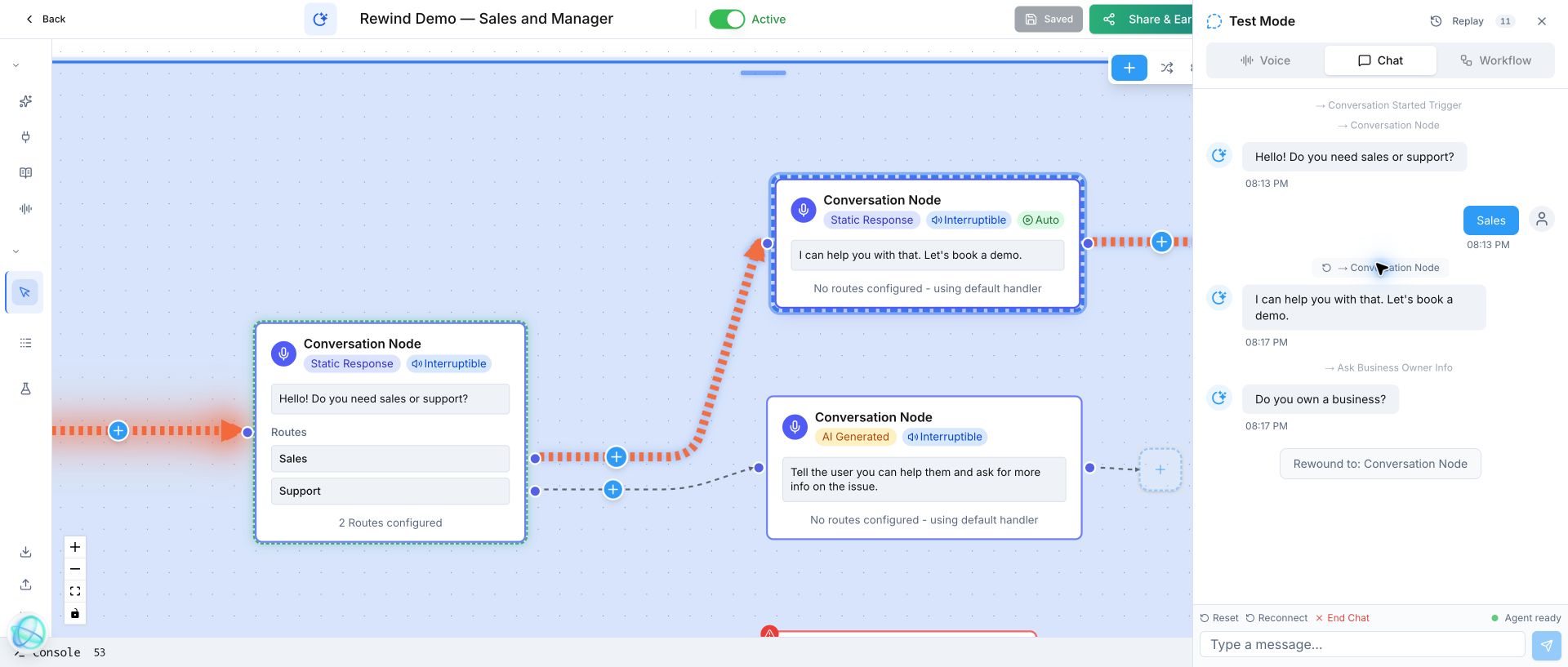
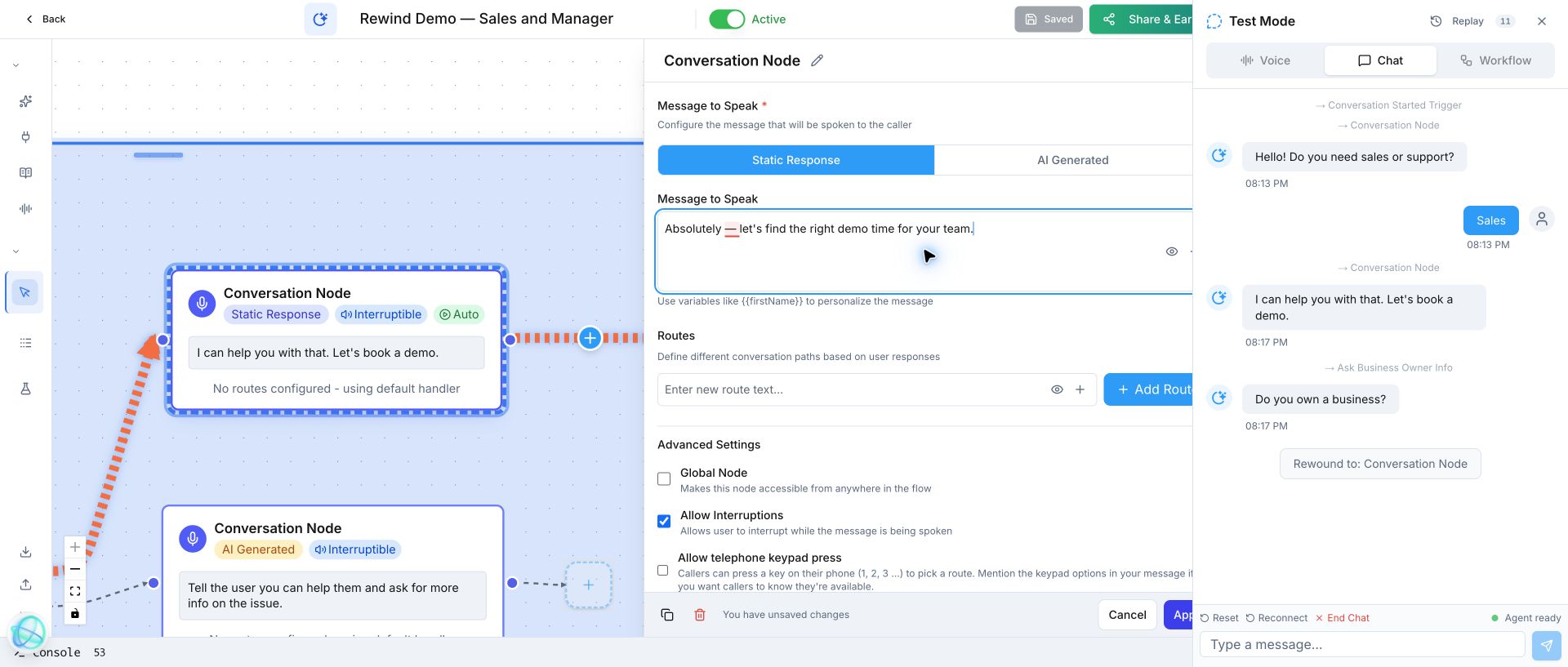
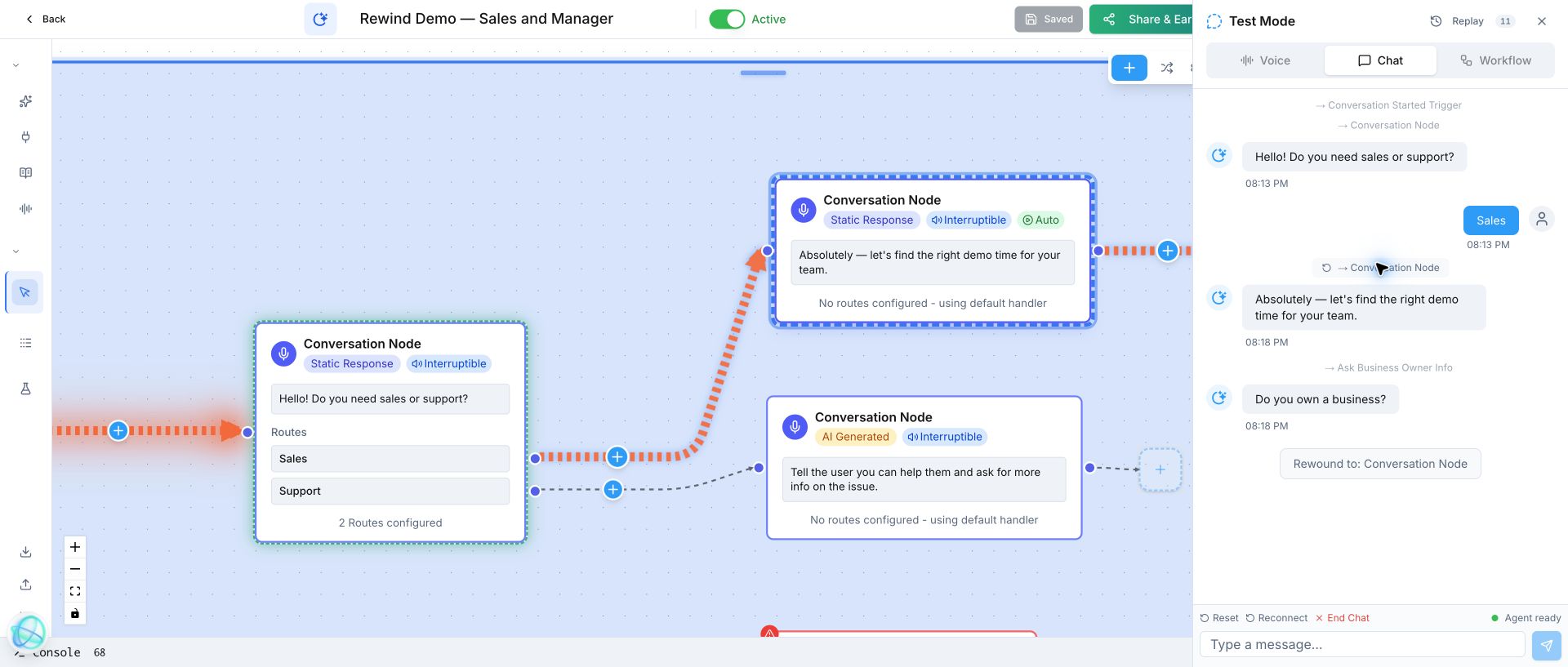
The same test shows the original sales response, the node editor with replacement copy, and the corrected response after rewinding to that exact checkpoint.
Working example: correct a sales response. Review the answer, edit and save the same Conversation Node, then rewind its checkpoint so Votel replaces the old branch with the corrected response.
Review response → edit node → save → rewind checkpoint → verify correction
Change the response, not the test setup
The first run says, “I can help you with that. Let’s book a demo.” The edit changes that same node to, “Absolutely, let’s find the right demo time for your team.”
| State | Response | What happens to history |
|---|---|---|
| Before | I can help you with that. Let’s book a demo. | The active test contains the original response and its downstream question. |
| After Rewind | Absolutely, let’s find the right demo time for your team. | History before the checkpoint remains. The old response and everything after it are discarded, then regenerated. |
Replay the correction immediately
After Apply and Save, keep Test Mode open. Click the earlier “Conversation Node” step in the chat. Votel rolls the transcript back to that checkpoint, removes the old branch, and runs the updated node and downstream steps again.
- Run the conversation until the response you want to improve appears.
- Open that node, replace the wording, and click Apply.
- Save the workflow without ending the active test.
- Click the earlier Conversation Node checkpoint in Test Mode.
- Confirm the new answer and the Rewound to: Conversation Node message. The original answer is no longer present because that branch was replaced.
The transcript before the selected checkpoint stays intact. The selected step and everything after it are deleted from the active run, then generated again with the saved configuration.
You verify one edit in context instead of repeating the greeting, route choice, and every earlier answer.
Turn testing into a tight edit loop
| Without Rewind | With Rewind |
|---|---|
| Restart the test and repeat every earlier answer. | Jump directly to the response you changed. |
| Lose time rebuilding conversation context. | Keep only the history before the selected checkpoint. |
| Compare versions from memory. | See the corrected answer immediately after the old branch is replaced. |
Related blocks
- Conversation Node: Lets your agent reply, ask the next useful question, and route people by what they mean.
- Classifier: Uses an LLM to read natural language and select one predefined outcome, such as booking, emergency, team, or opt-out.
- Sub Agent: Gives a specialized AI agent a narrow job inside a larger workflow.
← Return to the workflow node library
Scope and source. This independent replay is based on the linked YouTube video and a hands-on synthetic Votel test. Product labels may change; verify the current interface before testing a live channel.