Free test drive · Included with paid Votel
Your Website Report
Client Acquisition EngineNow open

Find the opportunity. Show the demo. You close the deal.

Starting an agency? Know who to approach, what to offer, and how to show the value. Find prospects, reveal their gaps, and let them experience an AI receptionist tailored to their business. Your connected Votel setup handles follow-up and booking.

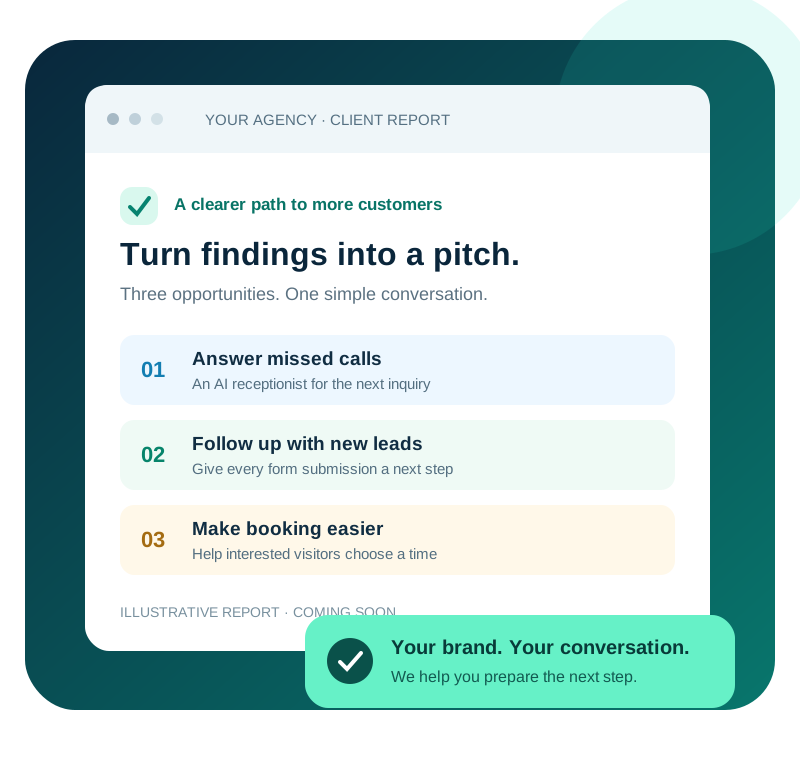
Illustrative branded report showing missed-call, follow-up, and booking opportunities
Illustrative preview of a branded report.
Your complete prospecting engine

Five connected steps. You close the deal.

From finding a business to getting a call booked. A clear next step at every stage.

01Prospecting engine

Find the prospects

Search by business type and area. Start with a relevant list.

See how it works

Choose your niche and location to find local businesses you could help. No website? Use their business details to start the conversation.

02Prospecting engine

Reveal the gaps

See the priorities and the services you could offer.

See how it works

Share a branded report with evidence-backed findings. Keep your sales guidance private. Checks that need a person are identified so you can confirm them before making a claim.

03Prospecting engine

Build the demo

Let them experience AI for their own business.

See how it works

Create a private, personalized Voice AI preview. Prospects can ask questions as their customers would, without changing their live website.

04Connected Votel setup

Follow up

Deliver the demo and keep the conversation going.

See how it works

The installed Demo On Demand snapshot connects the request and demo link to the contact and opportunity. Your configured Votel sender and workflows deliver the emails and follow-up sequences.

05Connected Votel setup

Get the call booked

Give interested prospects a direct way to book.

See how it works

Connect your Votel calendar so prospects can choose a time to talk. Booking and reminders run through your configured Votel account.

✓Your next move

You close the deal.

Go into the call with their gaps, a relevant offer, and a demo.

See how it works

You handle the conversation, agree the scope and price, and close the deal. The engine helps you prepare; your Votel account runs the connected client workflows.

Follow-up and booking run through your supplied Votel snapshot after you connect, test, and activate it.

Your sales toolkit

Useful tools.
Your brand out front.

Find the opportunity. Show how you can help.
Bring a clearer conversation to every prospect.

Illustrative previews
01 / Discover

Lead finder

Find local businesses by industry and city.

02 / Show the opportunity

Branded audit reports

Put your agency name on the findings you share.

03 / Start a conversation

Conversation starters

Turn a website finding into a useful opening line.

04 / Make it real

Personalized AI demos

Let prospects talk to an AI receptionist tailored to their business.

05 / Shape the offer

Relevant offer guidance

Connect the gaps to services you can offer.

06 / Connect the journey

Connected Votel snapshot

Connect contacts, opportunities, email follow-up, calendars, and optional payments.

Two ways in. One connected system.

You find them.
Or they find you.

We build the demo.
Votel runs what comes next.

↗Outbound / You start the conversation

Prospect On Demand

Find a business, audit the gaps, and share its report and personalized AI demo.

Find a business→Reveal the gaps→Share the demo
↙Inbound / They make the first move

Demo On Demand

A visitor requests a demo on your agency website. The engine creates the experience and sends the result back to their Votel contact and opportunity.

Demo request→Private preview→Votel handoff
The next step lives in Votel

Your snapshot,
in your account.

The supplied agency site, request form, pipeline, and workflows connect the journey.

  1. 01Contact & opportunityKeep the context together
  2. 02Email follow-upContinue the conversation
  3. 03Calendar handoffLet them choose a time

Configure your sender, calendar, and optional payments; add required usage funds, test, then activate.

Built for

New agency owner? Start with a clear path to your first client.

Find someone you can help, understand what to offer, and show them the experience. Go into the sales conversation prepared, with a report and a demo that make your offer easier to understand.

Questions people ask first.

What is Your Website Report?
Your Website Report is an AI-powered prospecting and sales platform for people who sell marketing services. It helps you find prospects, reveal gaps, and build personalized Voice AI demos. The connected Votel snapshot handles contacts, opportunities, email follow-up, calendars, and optional payments after setup. You focus on closing the deal.
Who is this for?
People starting a business selling marketing services to local businesses, and existing agencies that want a repeatable way to prospect. You do not need a portfolio, a sales background, or a designer. You need to be willing to pitch.
How do I get access?
Start with a free test drive: 10 business searches, 5 audits and 1 report you can send to a real prospect. Full access, including personalized AI demos, website concepts and Demo On Demand, is included at no added cost when you are on a paid Votel plan opened through the All Things Votel link. The plan is verified before full access is turned on.
Is the report an SEO audit?
No. It is a conversion and automation audit. It looks at whether the business is losing customers between the click and the sale, not at keyword rankings. Those are the gaps you can actually fix on Votel and charge for.
Does the prospect see the coaching notes?
Never. What the prospect receives, the share page and the PDF, drops every pitch line, the pricing ladder, and the discovery questions. They see a clean report with your agency brand on it and nothing else.
Does it work with HighLevel?
The audits can evaluate any public business website, but the personalized demo and lead handoff are built around Votel. MoveOver is a separate product that exports supported assets from HighLevel when you are preparing to migrate.