What you'll build
You'll build a step-by-step ROI calculator that a business owner can fill in alone. It works like the ROI calculator on this site, and Votel builds it from one prompt.
What you'll build
- An 8-question survey, one question per screen, with a default answer already filled in
- A results page with three revenue cards, a big total and a bar chart
- A Cautious toggle that halves every figure, plus a "How the numbers work" section
- A share link that carries the numbers in the URL, so nothing is stored
What you need
- A Votel account you can log in to
- About 15 minutes
- The prompt below, copied exactly
- No code, no API keys and no database
Open Web Apps and start a new app
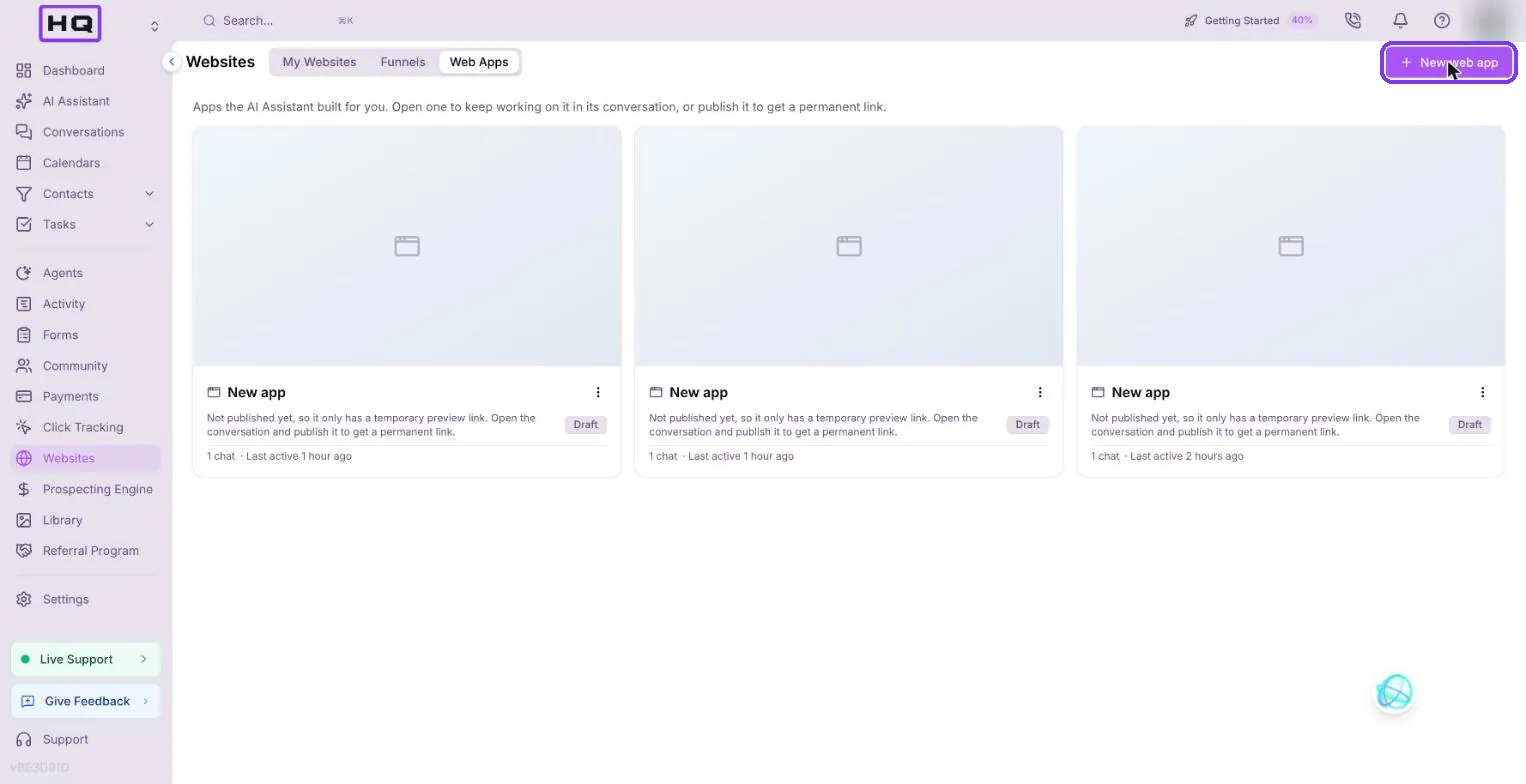
Every Votel app starts in the same place. In the left menu click Websites, open the Web Apps tab, then click New web app at the top right.
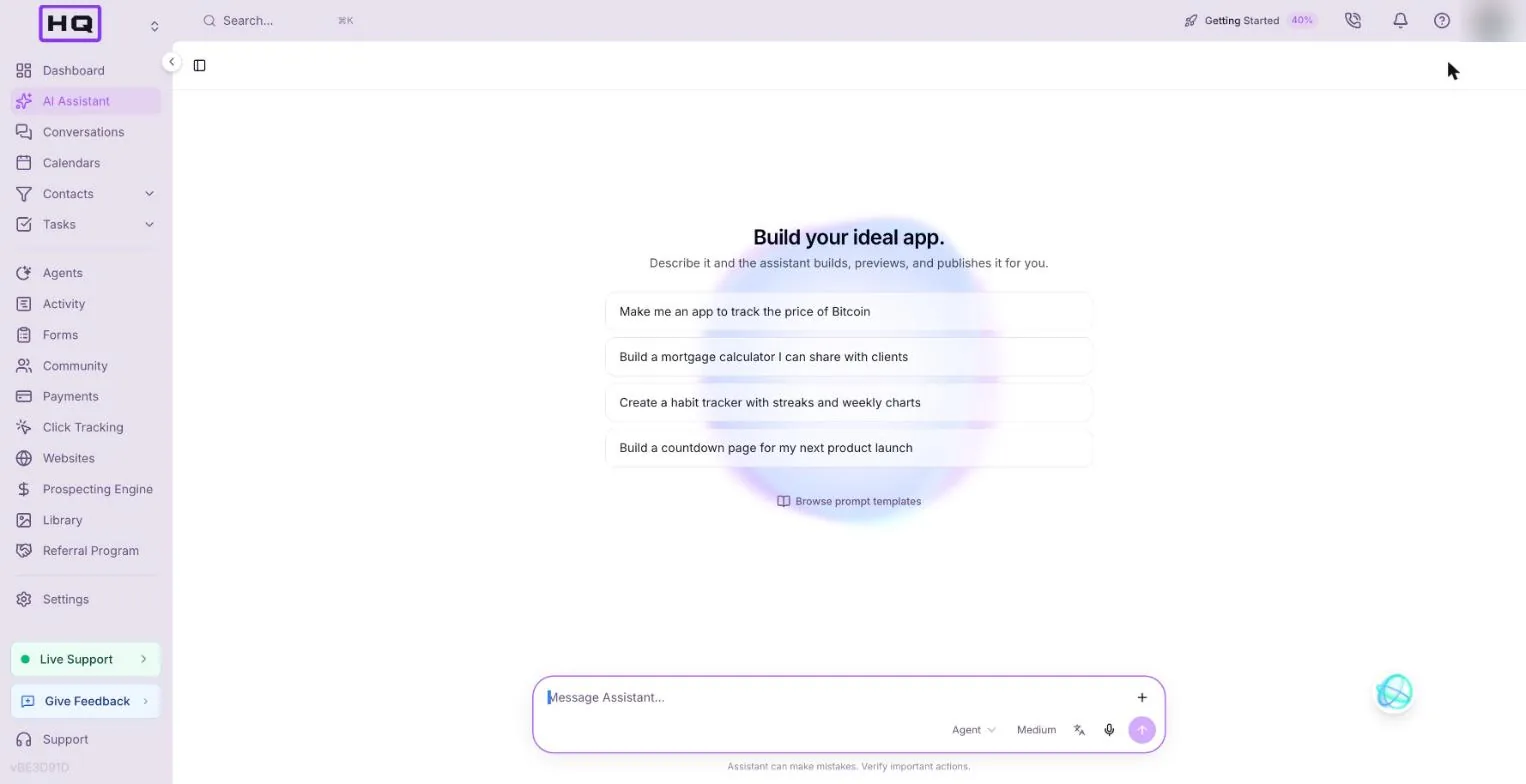
The AI Assistant opens on a page that says Build your ideal app., with a few example ideas and an empty message box.
Paste the prompt
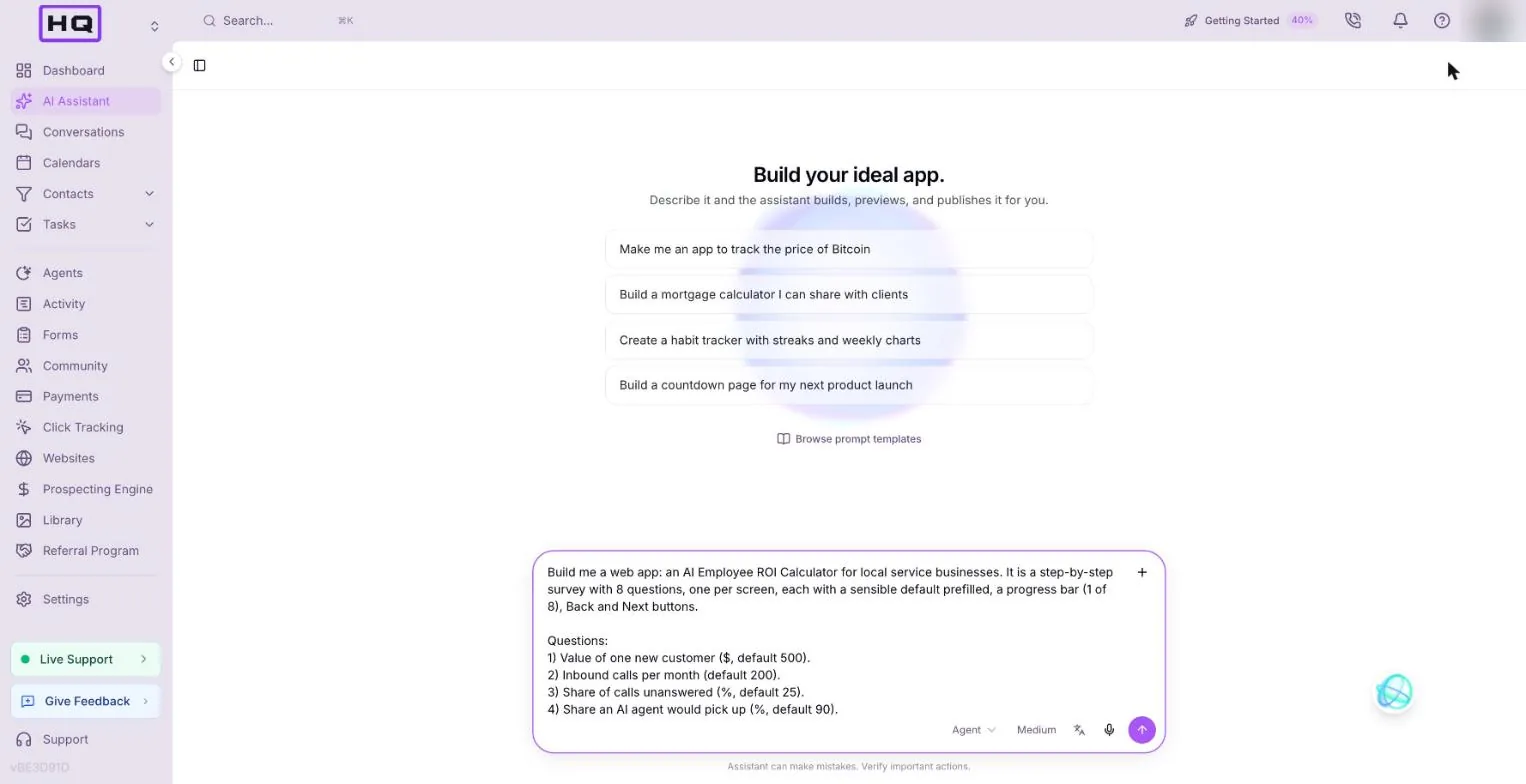
Copy this prompt exactly, paste it into the message box and press Enter. Every number and formula is spelled out, so the assistant doesn't have to guess.
Build me a web app: an AI Employee ROI Calculator for local service businesses. It is a step-by-step survey with 8 questions, one per screen, each with a sensible default prefilled, a progress bar (1 of 8), Back and Next buttons.

Questions:
1) Value of one new customer ($, default 500).
2) Inbound calls per month (default 200).
3) Share of calls unanswered (%, default 25).
4) Share an AI agent would pick up (%, default 90).
5) Share of answered callers who become customers (%, default 20).
6) Web form leads per month (default 40), plus current close rate (%, default 15) and lift from instant reply (%, default 30).
7) Past customers in database (default 1000).
8) Share who rebook per campaign (%, default 2) and campaigns per year (default 4).

Results screen: annual recovered revenue for each of the 3 areas
- Phone calls = calls x unanswered x pickup x conversion x 12 x value
- Web forms = leads x close rate x lift x 12 x value
- Past customers = database x rebook x campaigns x value
Show a big total, a bar chart comparing the three, and a Cautious toggle that halves every figure.

Add a 'How the numbers work' section showing each formula. Add a 'Copy a link to my numbers' button that encodes the inputs in the URL query string so the link reloads with those numbers.

Clean modern design, purple accent, mobile friendly. No data stored anywhere.
| Part of the prompt | Why it's there |
|---|---|
| Every number and formula | The assistant builds exactly what you wrote, so the results match what you expect. |
| One screen per question | Gives the app a clear structure and makes it easy to test step by step. |
| "No data stored anywhere" | Keeps it frontend only: no database, no approval cards and no fee during the build. |
Read the plan
Before it builds, the assistant tells you how it will do it. Read that first line. For this prompt it should say everything runs in the browser, with no backend, no database and no monthly app fee.
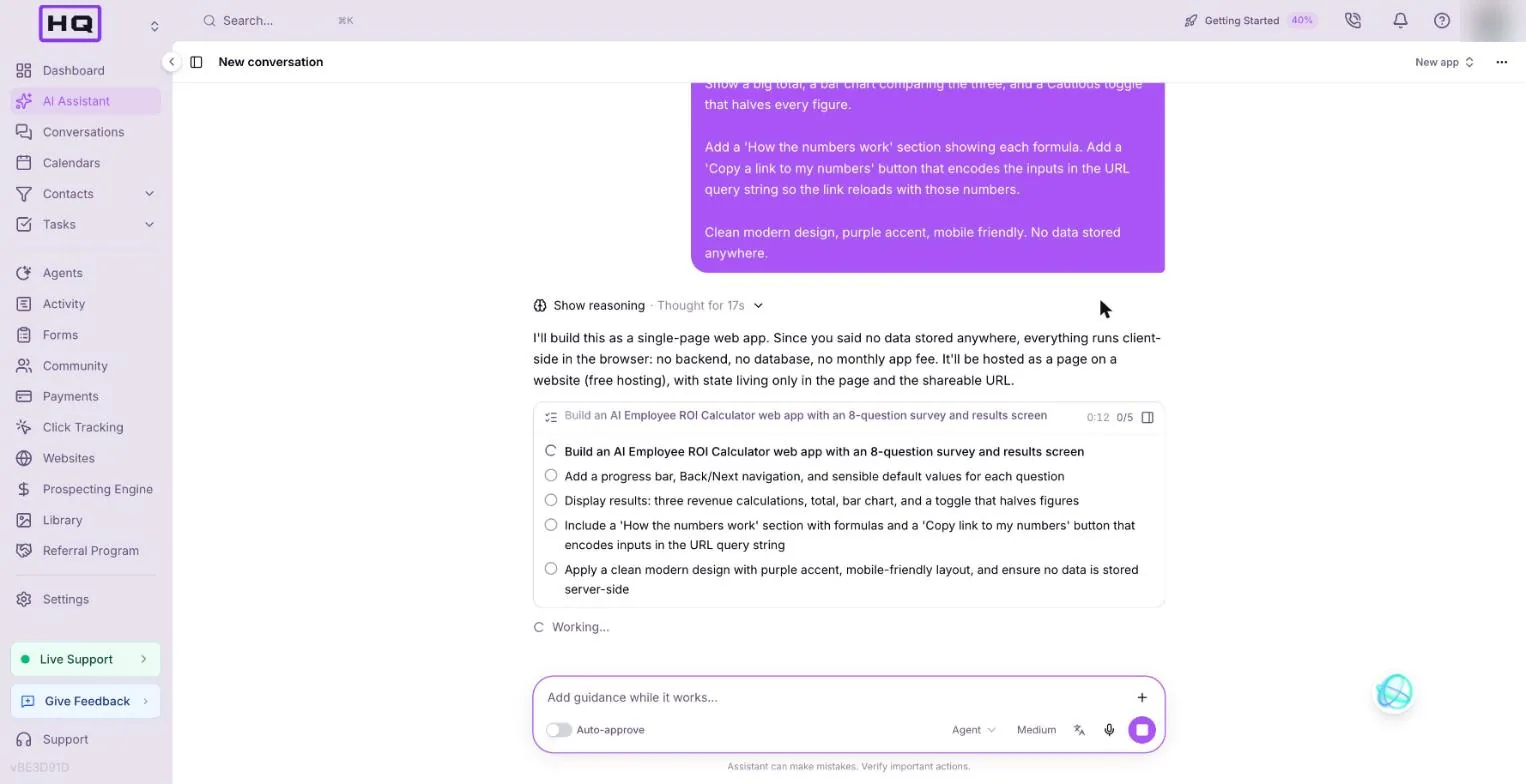
Under it is a checklist of the work. In our run it had five items: the survey, the progress bar and navigation, the results, the formulas section and share link, and the design. The exact wording changes from run to run, so don't worry if yours reads differently.
Let it build
Now you wait. The checklist ticks off as the assistant works. Click the panel icon at the top right of the checklist to open the Steps panel and watch what it's doing: writing files, starting a preview server and taking screenshots of its own work to check it.
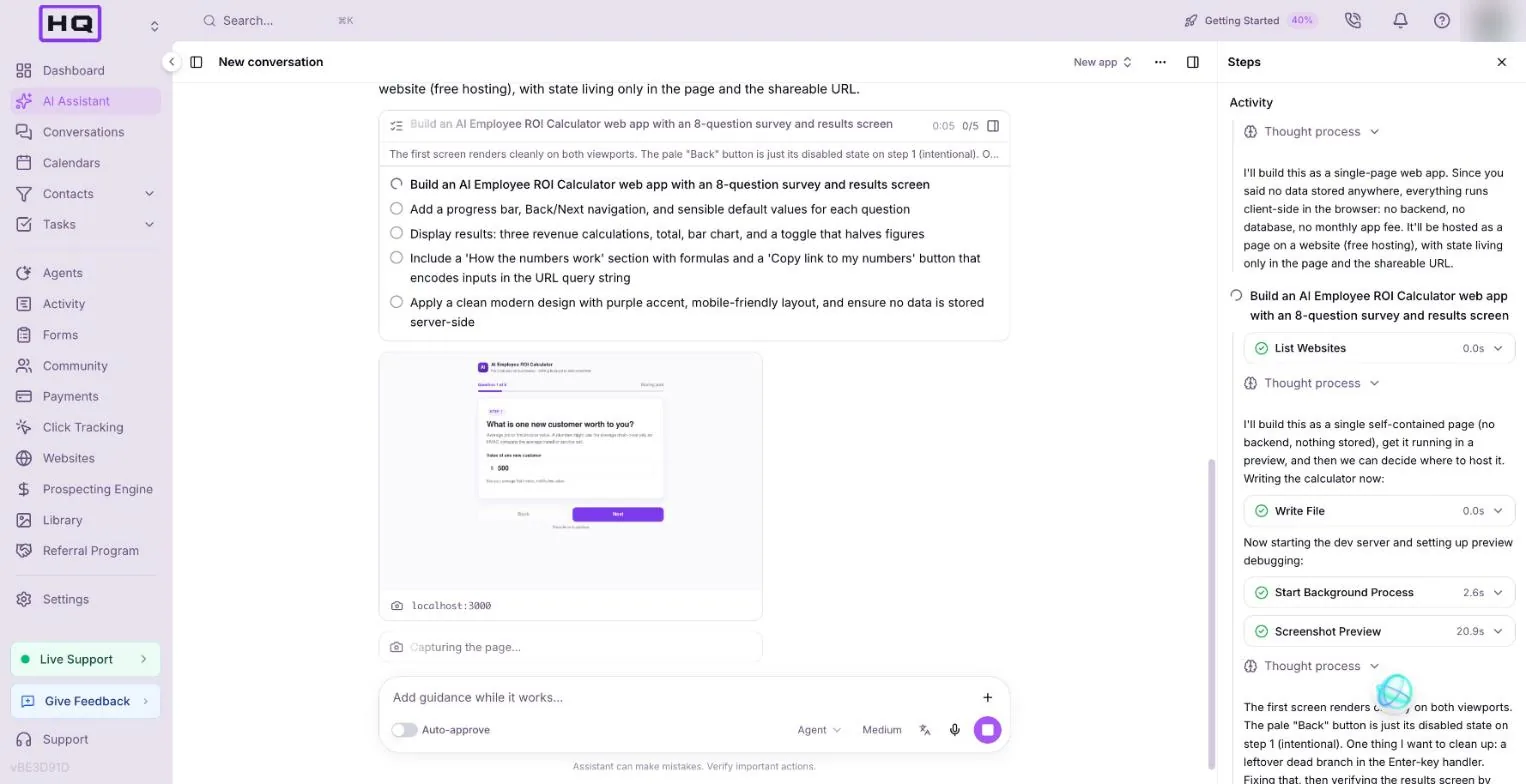
It checks the app on desktop and mobile and fixes what it finds before it hands it over. In our run it caught a formula line that was cut off on the right edge, fixed it and checked again. The whole build took about 6 minutes. Earlier runs took 8 to 12, so give it time. If a step sits for a few minutes, open the panel. You'll usually see it's still working.
Open the preview
When the checklist says Plan completed, the assistant posts a summary of what it built and a temporary preview link. Click the link and the app opens in a new tab. Publishing gives it a permanent one.
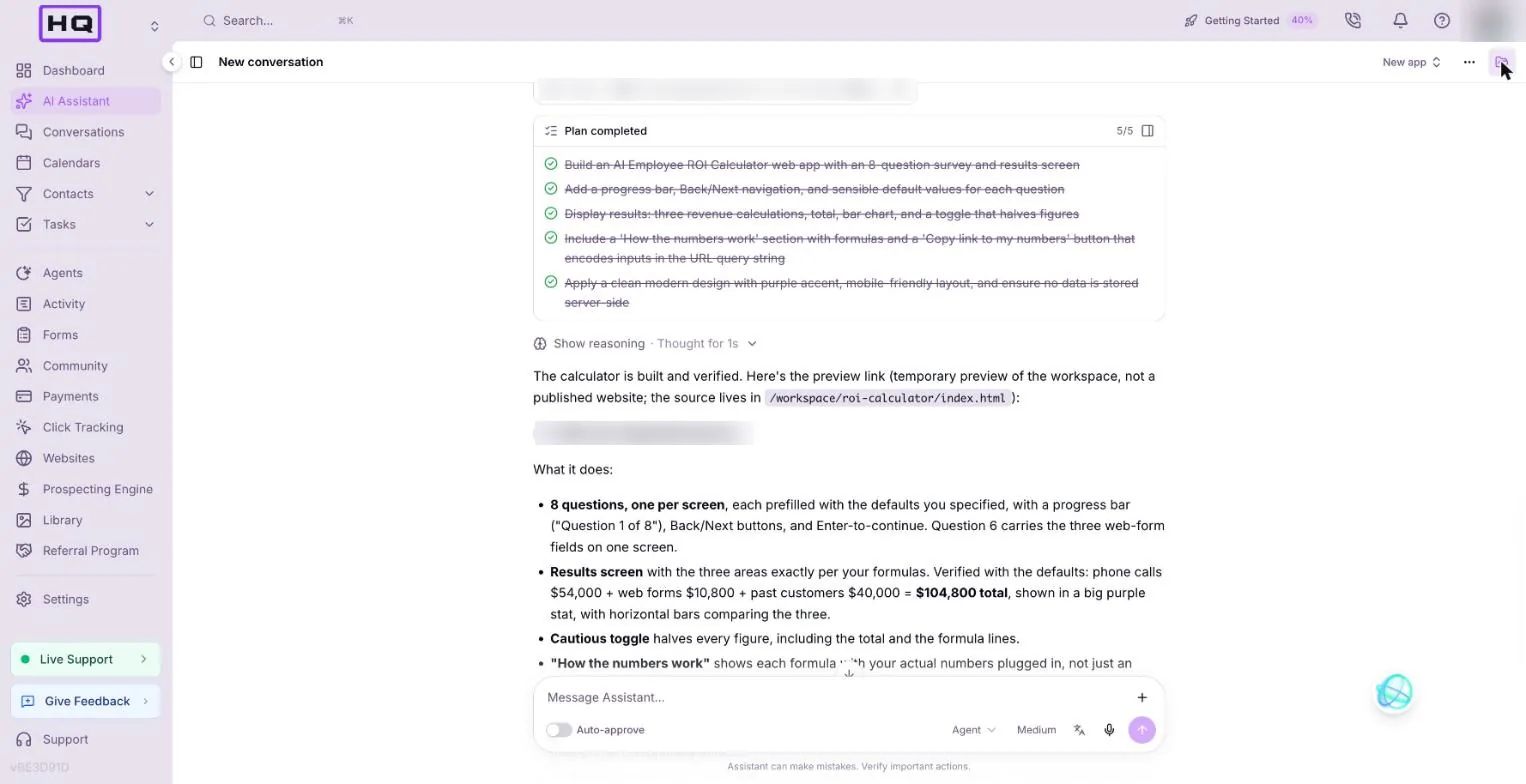
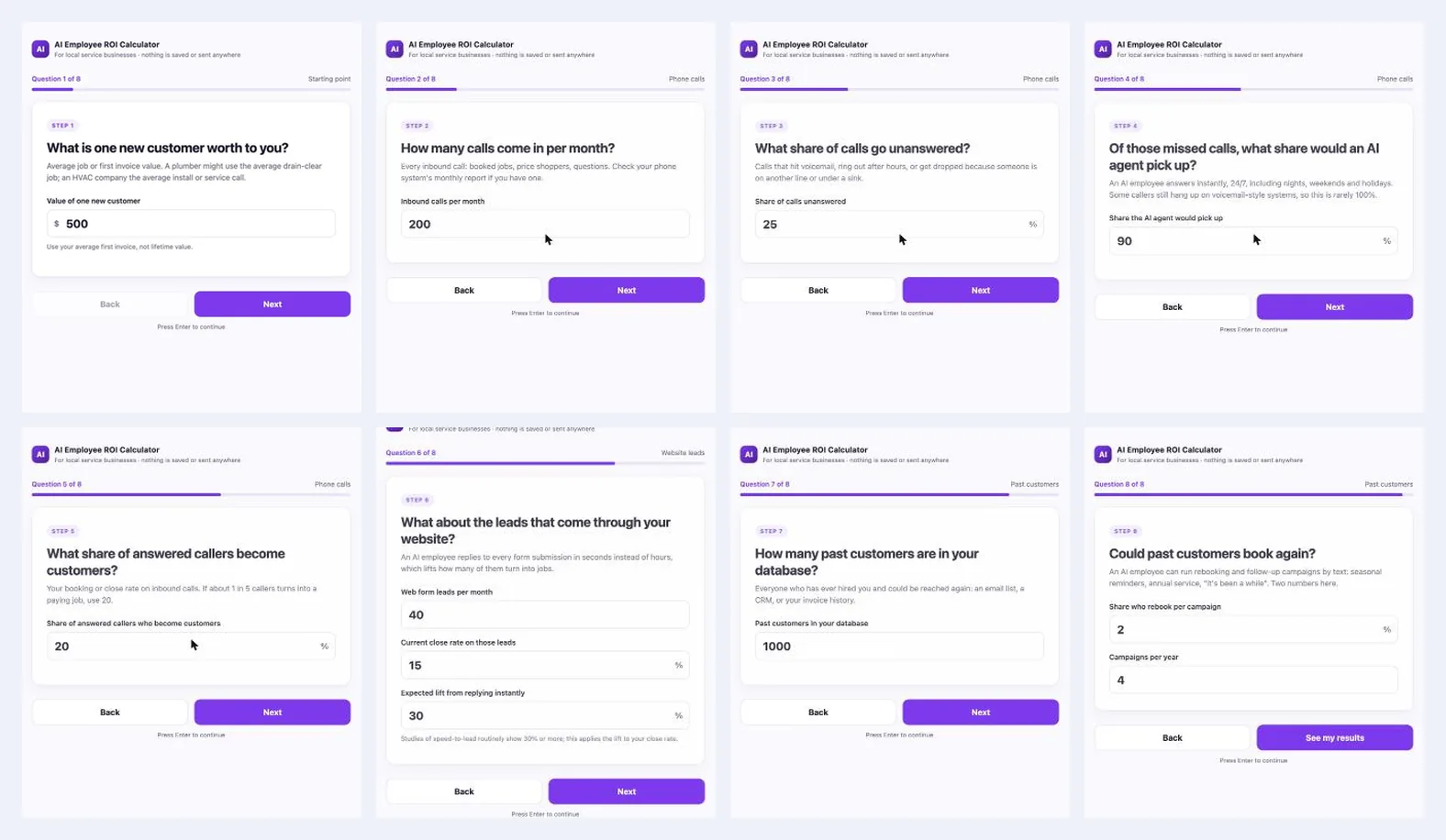
Click through it like a business owner would. Each question has its own screen, a progress bar and a default answer already filled in.
Test it yourself
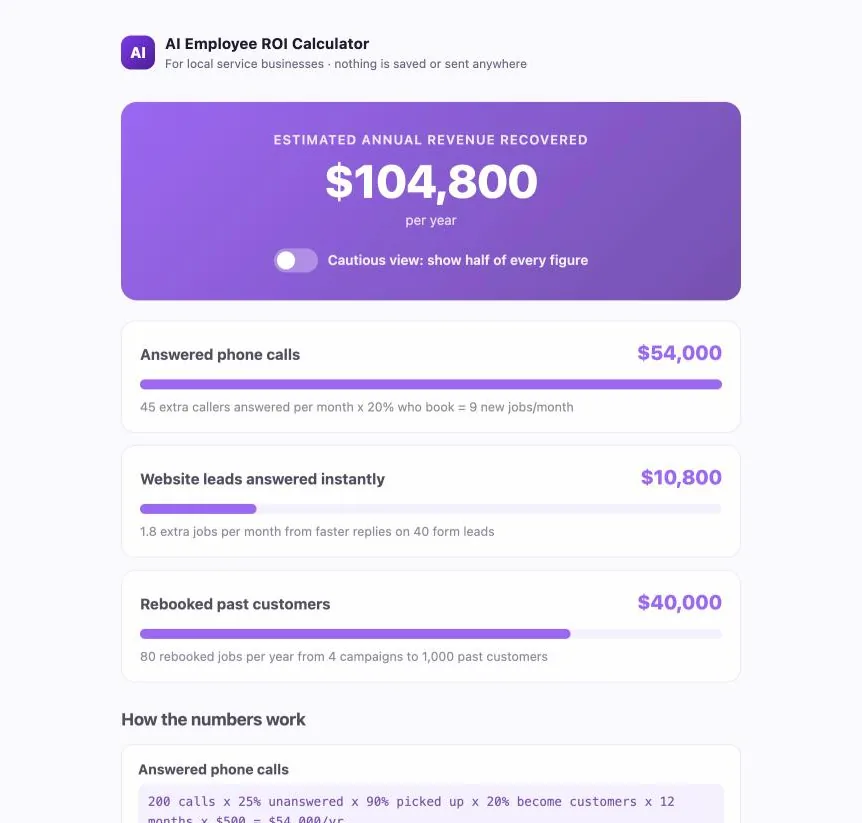
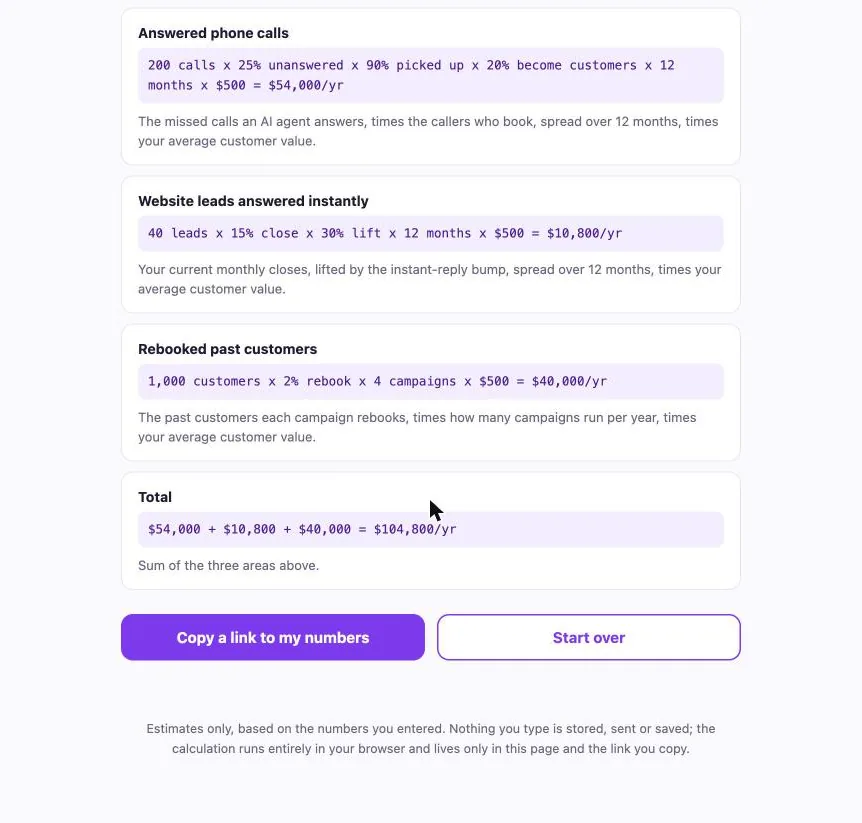
Don't take "done" on trust. Run these checks in the preview. With the default answers, the total should be $104,800 a year.
| Check | Do this | You should see |
|---|---|---|
| Defaults | Click Next through all 8 steps | Each step shows its default. Progress runs from 1 of 8 to 8 of 8 |
| Phone calls card | Look at the results | $54,000 |
| Web forms card | Look at the results | $10,800 |
| Past customers card | Look at the results | $40,000 |
| Total | Look at the results | $104,800 per year (about $8,733 a month) |
| Cautious toggle | Switch it on | Total $52,400 |
| Change an input | Go back and set step 1 to $1,000 | Total $209,600 |
| Share link | Click Copy a link to my numbers, open it in a new tab | Opens on the results with the same numbers |
| Mobile | Open the preview link on your phone, or make your browser window narrow | One column, easy tap targets |
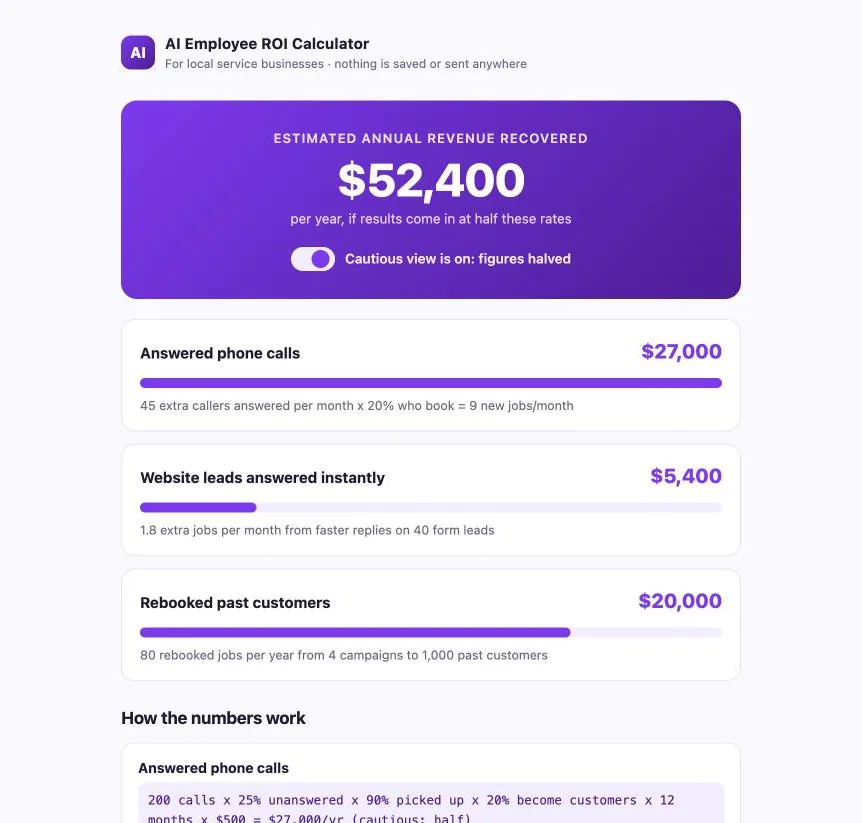
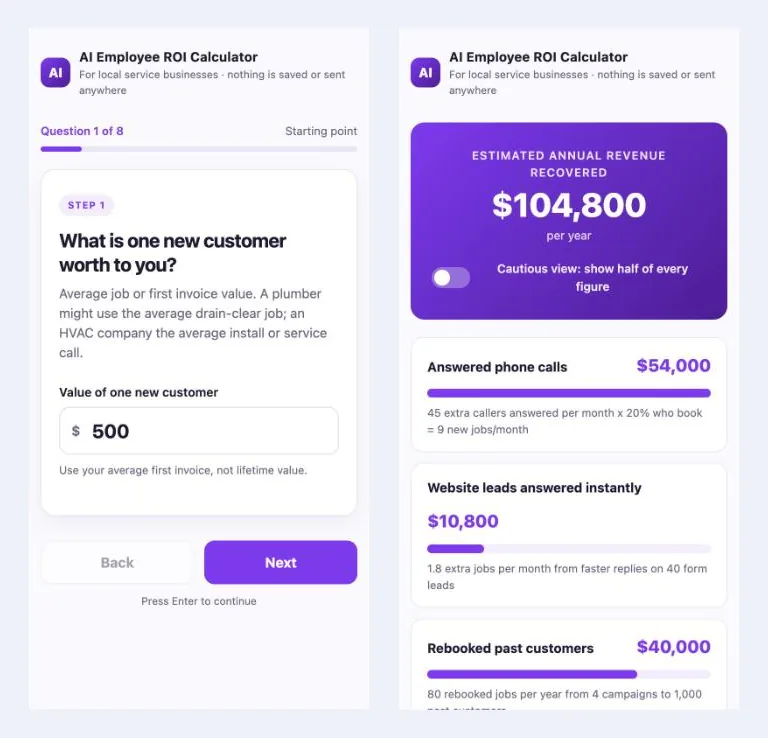
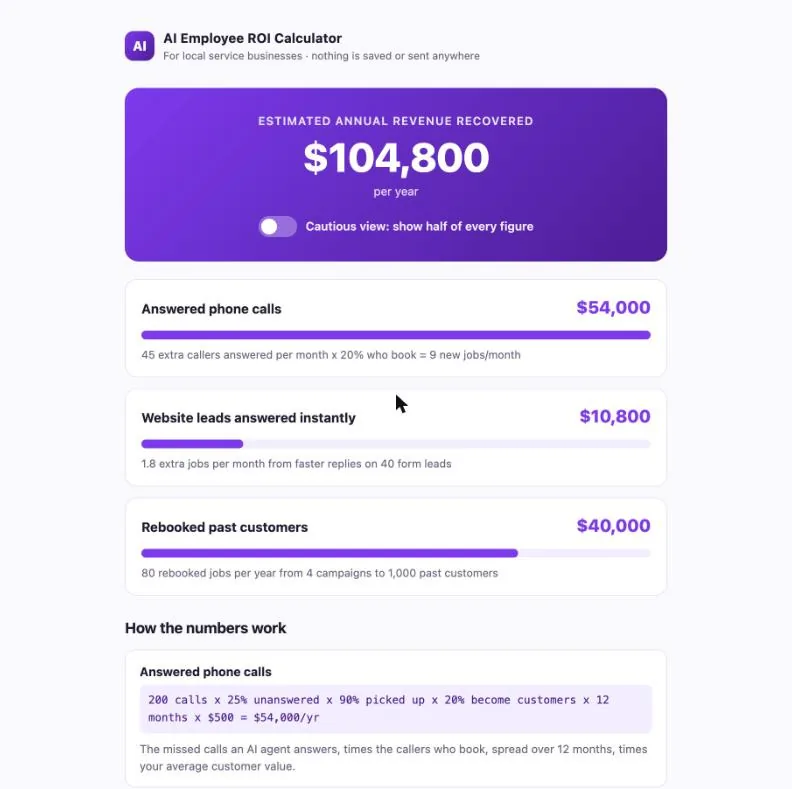
If a number is wrong, quote the formula and the number you expected. For example:
The Web forms card shows $X but 40 x 15% x 30% x 12 x $500 should be $10,800. Fix the formula.
Publish, share and tweak
Publishing turns the temporary preview link into a permanent one. Type "Publish this app." in the chat, then read the approval card before you approve it. It says if this is the app's first publish and if a new charge applies. On our quiz app it read "First publish of this app: it gets a new link of its own" and "No new charge: this app already pays its monthly fee." In our run the assistant also offered to put the calculator on one of our existing Votel websites, at /roi-calculator.
| You want to | Do this |
|---|---|
| Use your own domain | Ask: "Connect this app to calculator.mydomain.com." The assistant gives you the DNS record to add. |
| Find the app later | Websites, then the Web Apps tab. Open the card to keep working in its chat. |
| Undo a change | Every change is saved in git history. Ask: "Undo the last change." |
Want to make it yours? Paste one of these into the same chat:
- Add an email capture screen before the results.
- Change the accent color to teal and add my logo at the top.
- Rename the three areas for a dental clinic: new patient calls, online booking requests and patients due for a cleaning.
- Add a Book a call button on the results page that links to my calendar.
Troubleshooting
Most problems are fixed by telling the assistant exactly what you see. Here's what to say.
| You see | Why | Fix |
|---|---|---|
| Checklist stuck on one step for minutes | Normal for some steps | Wait, and open the Steps panel to see activity |
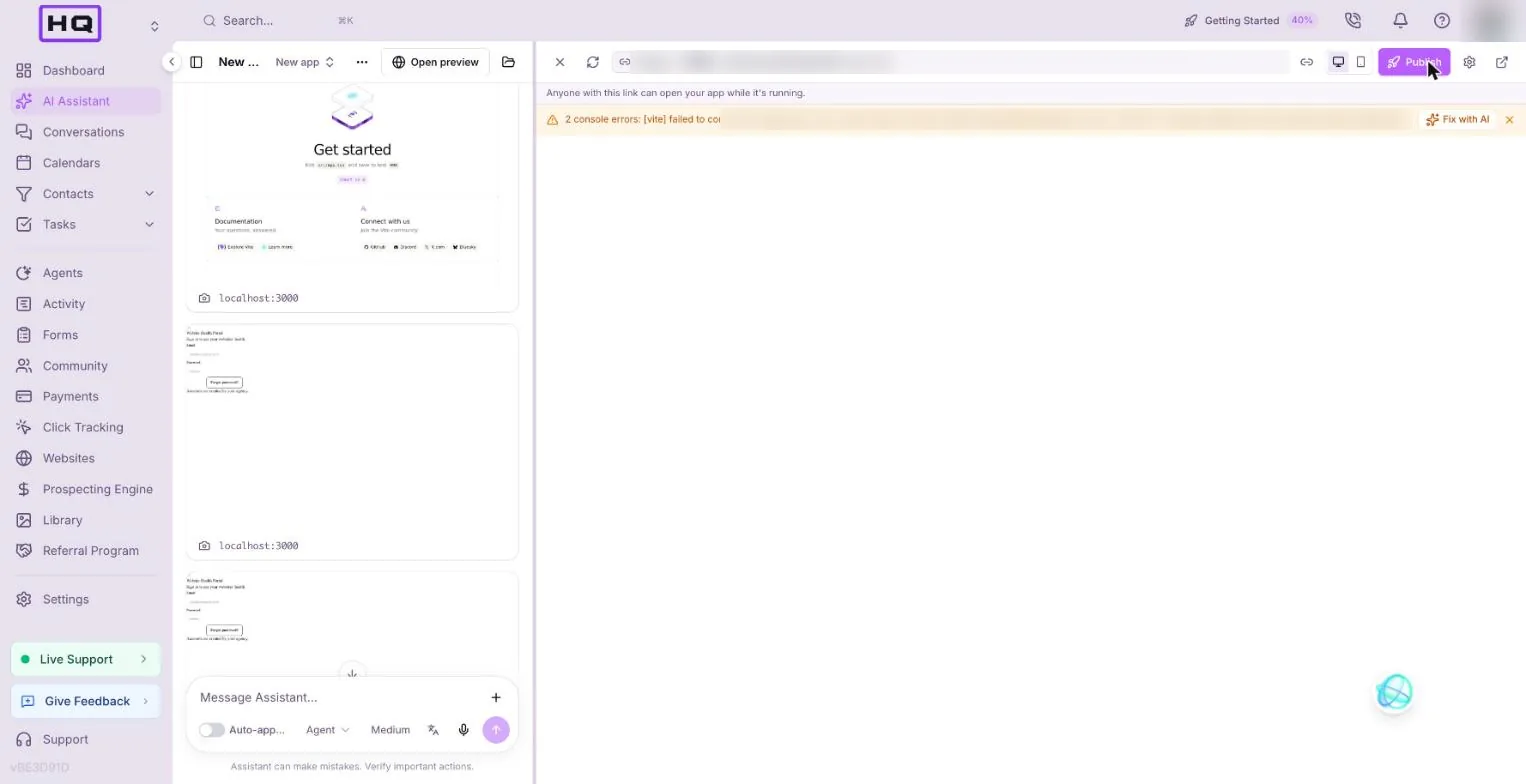
| Blank preview or script errors | The preview server went to sleep | Ask: "Restart the preview" |
| Unstyled page | Tailwind didn't load | Ask: "The page is unstyled, fix the Tailwind setup" |
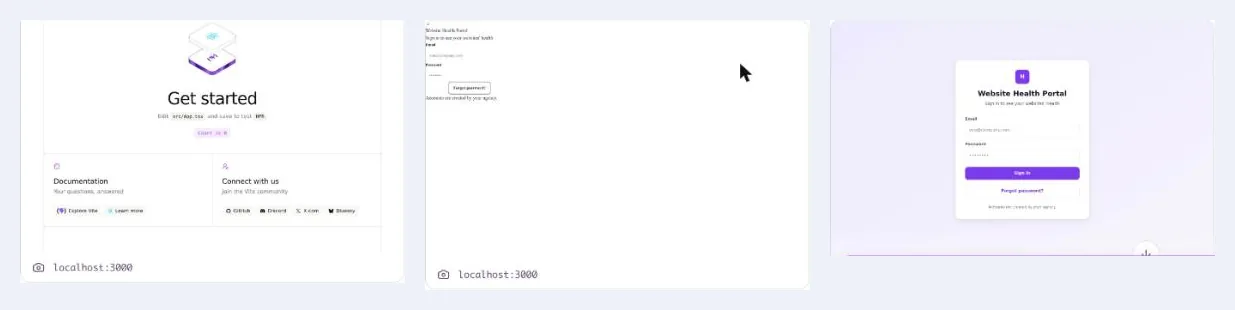
| Step says passed but the default Vite page shows | The build step didn't write the UI | Ask: "The preview still shows the Vite starter page. Build the survey screens." |
| Wrong number | A formula doesn't match | Quote the formula and the number you expected |
| "Denied automatically" | Two approval requests came in at once | Nothing. It retries |
| An approval card about a table or a fee | It thinks you asked for stored data | Approve only if you meant to add a database |
FAQ
Do I need to know how to code to build an app in Votel?
No. You describe the app in plain English and Votel's AI Assistant writes the code, runs it in a preview and checks its own work. You test the preview and ask for changes in the same chat.
How long does the ROI calculator take to build?
Plan on about 15 minutes from opening Web Apps to testing the finished preview. The build itself took 6 to 12 minutes in our tests. Apps with a backend take much longer: one with CRM sync took over 40 minutes.
Does the ROI calculator store any data?
No. The prompt ends with "No data stored anywhere", so the app runs only in the visitor's browser. The share link carries the numbers in the URL itself, so nothing needs to be saved.
Does a Votel web app cost extra?
Building and previewing this calculator added no fee in our tests, and both of our test apps showed $0.00 a month. A monthly app fee starts at the app's first database table, app user, file bucket, server function or first publish, and runs until the app is deleted. Usage shows in Settings, then Billing, then Usage.
Can I change the questions or the formulas later?
Yes. Open the app from Websites, then Web Apps, and ask for the change in its chat, for example rename the three areas for a dental clinic. Every change is saved in git history, so you can say "Undo the last change."
Try it in Votel
Open Web Apps, paste the prompt and you'll have a calculator to show a client before your coffee goes cold. Votel has a 14-day trial, then plans are $97 or $297 a month.
All Things Votel is an independent site, not operated by or affiliated with Votel.ai. Links to Votel are affiliate links. Screens and labels are from a live account on November 21, 2026 and may change.