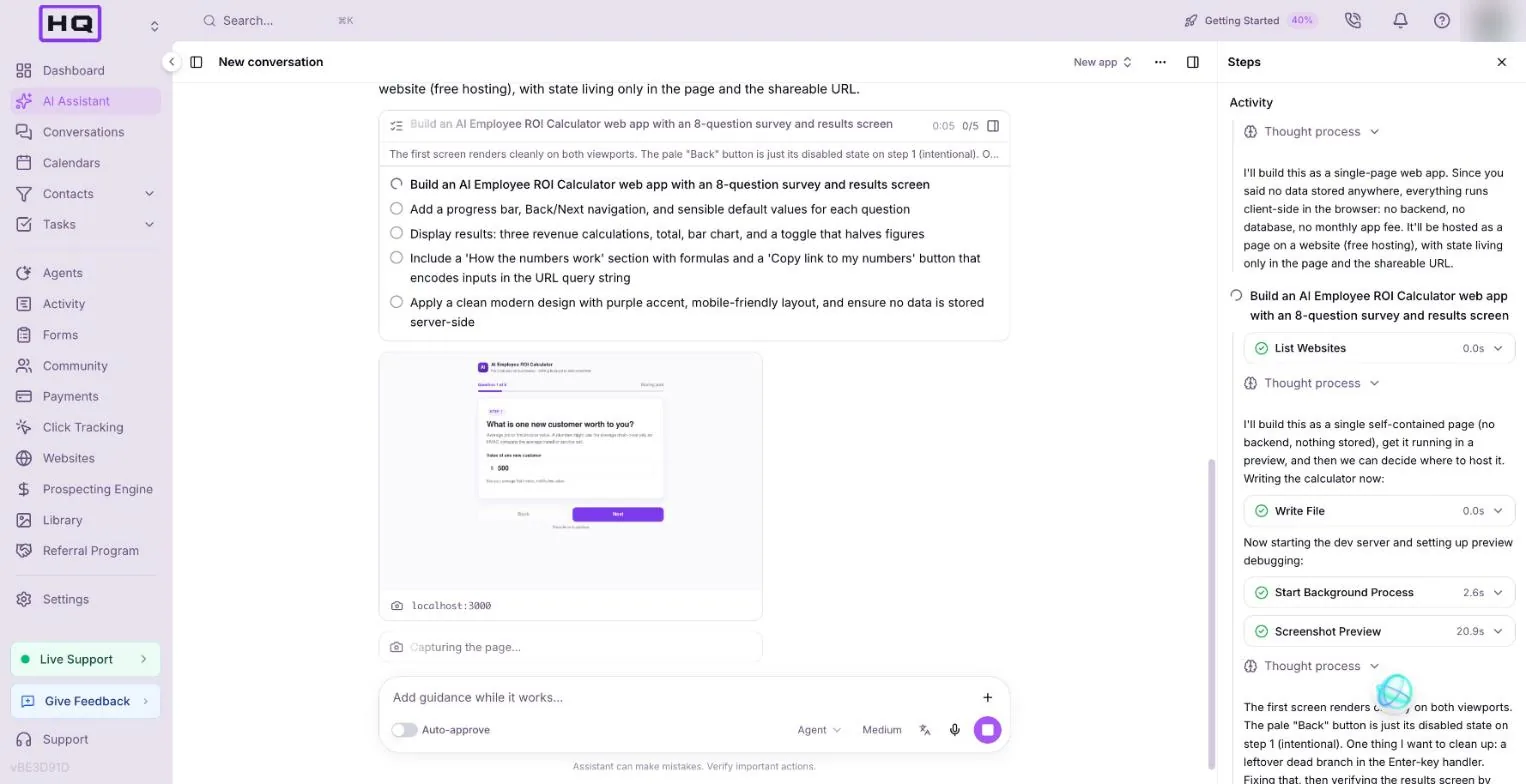
What the Votel app builder is
The Votel app builder is an AI coding agent, similar to Lovable, that lives in the AI Assistant. You open it from Websites, then the Web Apps tab, then New web app. Each app can be a Vite, React, TypeScript and Tailwind project with git history, any npm package, an optional hosted backend and a permanent URL once you publish. Very simple apps can come out as a single page: our ROI calculator did.
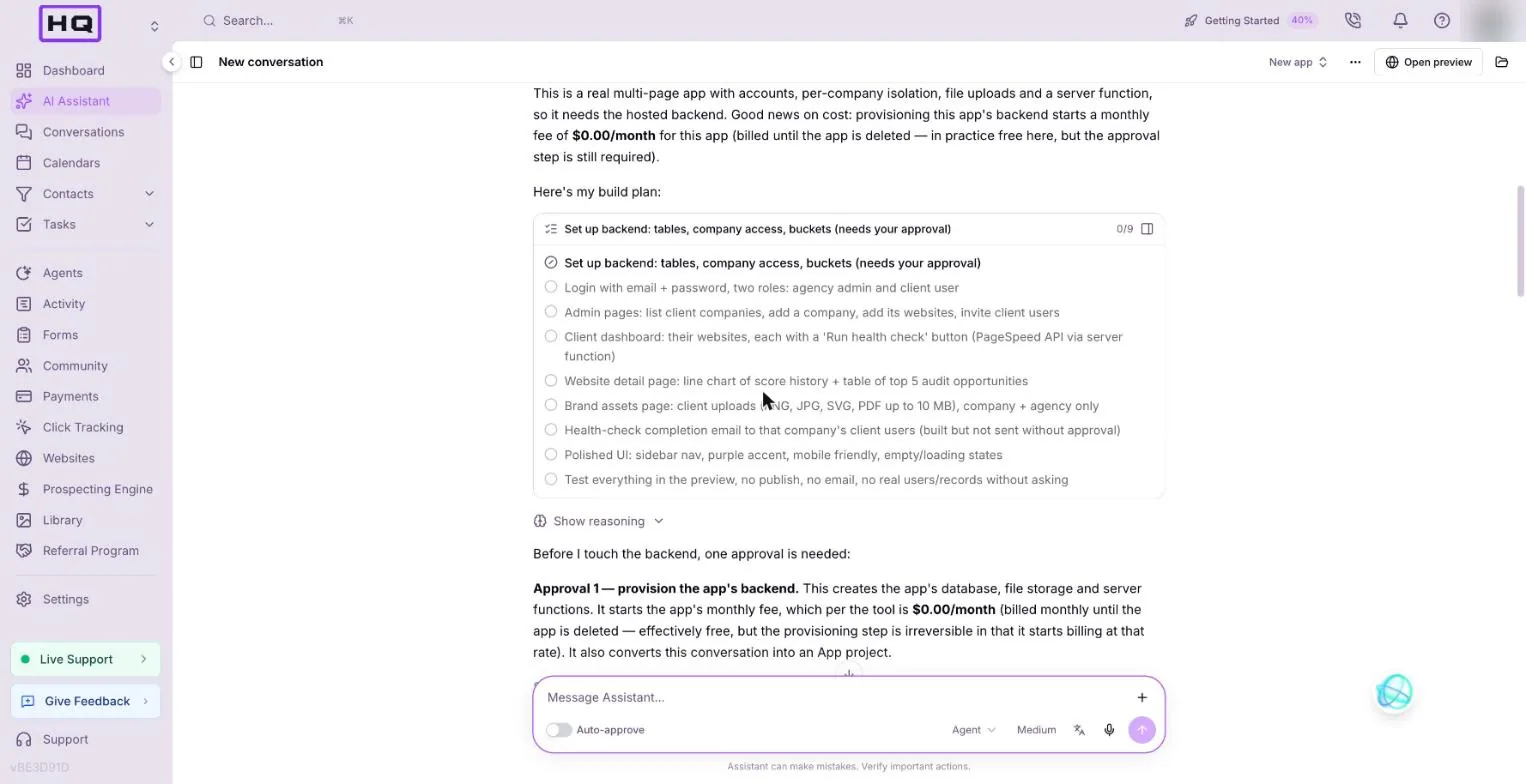
It stops and asks before anything that adds stored data or a fee. Leave the Auto-approve switch under the message box off and you'll see an approval card each time.
The 3 tutorials
Start with the ROI calculator. It needs no database and no approvals, so it's the cleanest way to learn how the builder works.
ROI calculator
An 8-question survey with results, a chart, a Cautious toggle and a share link. No database.
Start the tutorial → Tutorial 2 · about 45 minQuiz builder to CRM
A quiz plus lead form that creates a tagged contact through a Votel workflow, with a private admin page.
Start the tutorial → Tutorial 3 · 60 min plusClient portal
A multi-page portal with roles, per-company data, health checks, charts and file uploads.
Start the tutorial →What the Votel app builder can and can't do
It handles the frontend, logins, a simple database, server functions and file uploads. It can't read your CRM, send SMS or run Google login. Here's the full list from our testing.
| Capability | Status | Notes |
|---|---|---|
| Frontend (React, Tailwind, any npm package, charts) | Yes | Client-side routing |
| End-user login | Partial | Email and password only. No Google or social login, no magic links |
| Roles and per-company data isolation | Yes | Verified in the client portal test |
| Database | Partial | Tables, filters, sorting, bulk import. No joins, totals or group-by. 64 columns per table, 100 rows per query |
| Server functions | Yes | Node 22 or Python 3.12, 30 second limit, can call any outside API, secrets stored encrypted |
| AI model calls | Partial | Bring your own OpenAI or Anthropic key from a server function. You pay the provider |
| Stripe payments and subscriptions | Partial | Through a server function and a webhook. Votel Payments isn't available inside apps |
| Partial | Only to the app's own users, 200 recipients max, needs approval | |
| SMS or push | No | |
| File uploads | Yes | 25 MB default, 100 MB max per file |
| Scheduled jobs | Partial | Cron works but can't read the app's data |
| Read CRM contacts, deals, calendars | No | Apps are walled off from the CRM |
| Write to CRM | Partial | Only through a Votel workflow webhook (Tutorial 2) |
| Custom domain | Yes | |
| Git history, GitHub sync, code download | Yes |
What to build first, and what to avoid
Build things that take input, show a result and maybe store a little data. Skip anything that needs texting, Google login or live CRM data.
Good first builds
- Calculators and lead magnets
- Client portals
- Internal agency tools
- Stripe-gated memberships
- Intake forms with a review screen
Avoid for now
- Anything that needs SMS
- Google login
- Reports that combine tables
- Long background jobs
- Live reads of CRM data
What a Votel web app costs
A monthly app fee starts at the app's first database table, app user, file bucket, server function or first publish, and runs until you delete the app. Both of our test apps showed $0.00 a month on November 21, 2026.
| Starts the monthly fee | Doesn't |
|---|---|
| First database table | Building and previewing a frontend-only app |
| First app user | Asking for changes in the chat |
| First file bucket | Rolling back a change |
| First server function | |
| First publish |
Check what you're paying in Settings, then Billing, then Usage. Votel's pricing can change, so read every approval card before you approve it.
The prompting playbook
The builder does exactly what you write, so the prompt is the job. These nine habits made the difference in every build we ran.
- Start in the right place. Websites, then Web Apps, then New web app.
- Spec every screen. A numbered list with defaults and formulas.
- Say what must not happen. What must not be stored or sent.
- Ask for the plan first. How it will build it, what it costs, what it can't do.
- Set test-data rules. One named test record, example.com emails.
- Set stop points. No publish, no email, ask before real users.
- Test the preview yourself. "Passed" isn't proof. Click through it.
- End with a gap report. "List every requirement you couldn't meet and why."
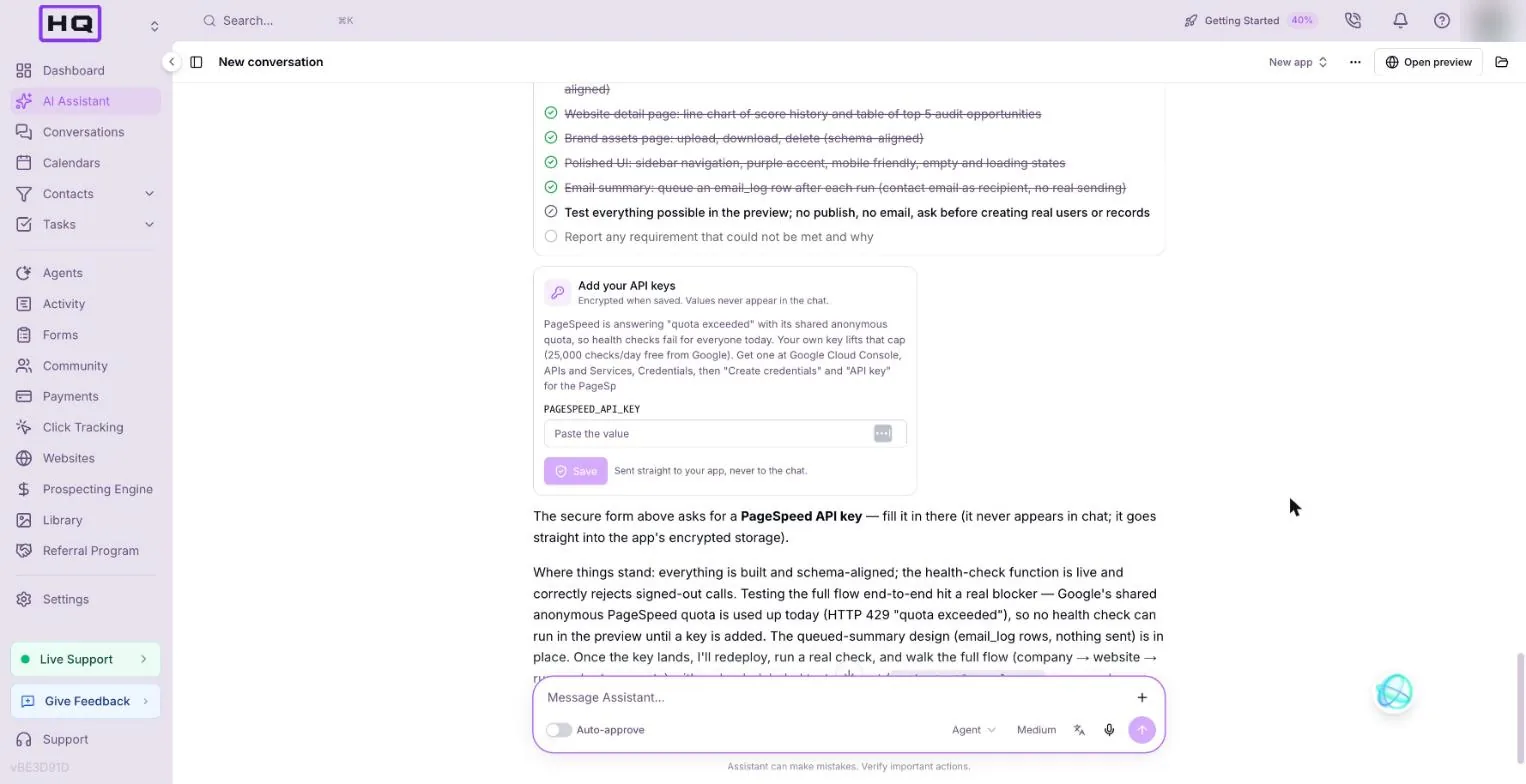
- Have your keys ready. Paste them only into the secure key form, never the chat.
Here's a stop-point line you can add to the end of any bigger prompt:
Build and test everything you can in the preview. Do NOT publish, do NOT send any email, and do NOT create users or records outside the preview without asking me first: stop and ask at each approval. At the end, list every requirement you could not meet and why.
FAQ
What is the Votel app builder?
It's an AI coding agent inside Votel's AI Assistant. You describe an app in plain English under Websites, then Web Apps, then New web app, and it writes the code, runs a preview, screenshots its own work on desktop and mobile, and fixes what it finds. Apps get a temporary preview link, and a permanent one when you publish.
Can a Votel web app read my CRM contacts?
No. Apps are walled off from the CRM, so they can't read contacts, deals or calendars. An app can write to the CRM by sending data to a Votel workflow with a webhook trigger, which then creates or updates the contact.
How much does a Votel web app cost?
A monthly app fee starts at the app's first database table, app user, file bucket, server function or first publish, and runs until the app is deleted. Both of our test apps showed $0.00 a month on November 21, 2026. Usage shows in Settings, then Billing, then Usage. A frontend-only app with no stored data added no fee while we built and previewed it.
How long does it take to build an app in Votel?
A simple calculator took 6 to 12 minutes in our tests. An app with a backend and CRM sync took over 40 minutes, with approval cards along the way.
Can users log in to a Votel web app?
Yes, with email and password only. There is no Google or social login and no magic links. Roles and per-company data isolation work: we verified both in a client portal test.
Try it in Votel
Open Web Apps and build the ROI calculator first. It takes about 15 minutes and needs no approvals. Votel has a 14-day trial, then plans are $97 or $297 a month.
All Things Votel is an independent site, not operated by or affiliated with Votel.ai. Links to Votel are affiliate links. Capabilities and limits are from live tests on November 21, 2026 and may change.