What you'll build
You'll build a "Which AI employee does your business need?" quiz that turns answers into a CRM contact you can follow up with.
What you'll build
- A public 4-question quiz with a recommended result
- A lead form: first name, email and phone
- A CRM contact created or updated, tagged
ai-quizplus the result, with the answers saved as a note - A password-protected
/adminpage listing submissions, with a chart by result
What you need
- A Votel account with access to Agents and workflows
- About 45 minutes
- Time to read and approve a few cards
- Done Tutorial 1 first (recommended)
How the quiz talks to the CRM
The app can't touch the CRM directly. It sends each submission to a Votel workflow, and the workflow writes the contact.
The admin page reads the app's own table, not the CRM. So it lists quiz submissions only, never contacts tagged some other way.
Open Web Apps and start a new app
Same start as every app: click Websites, open the Web Apps tab, then click New web app.
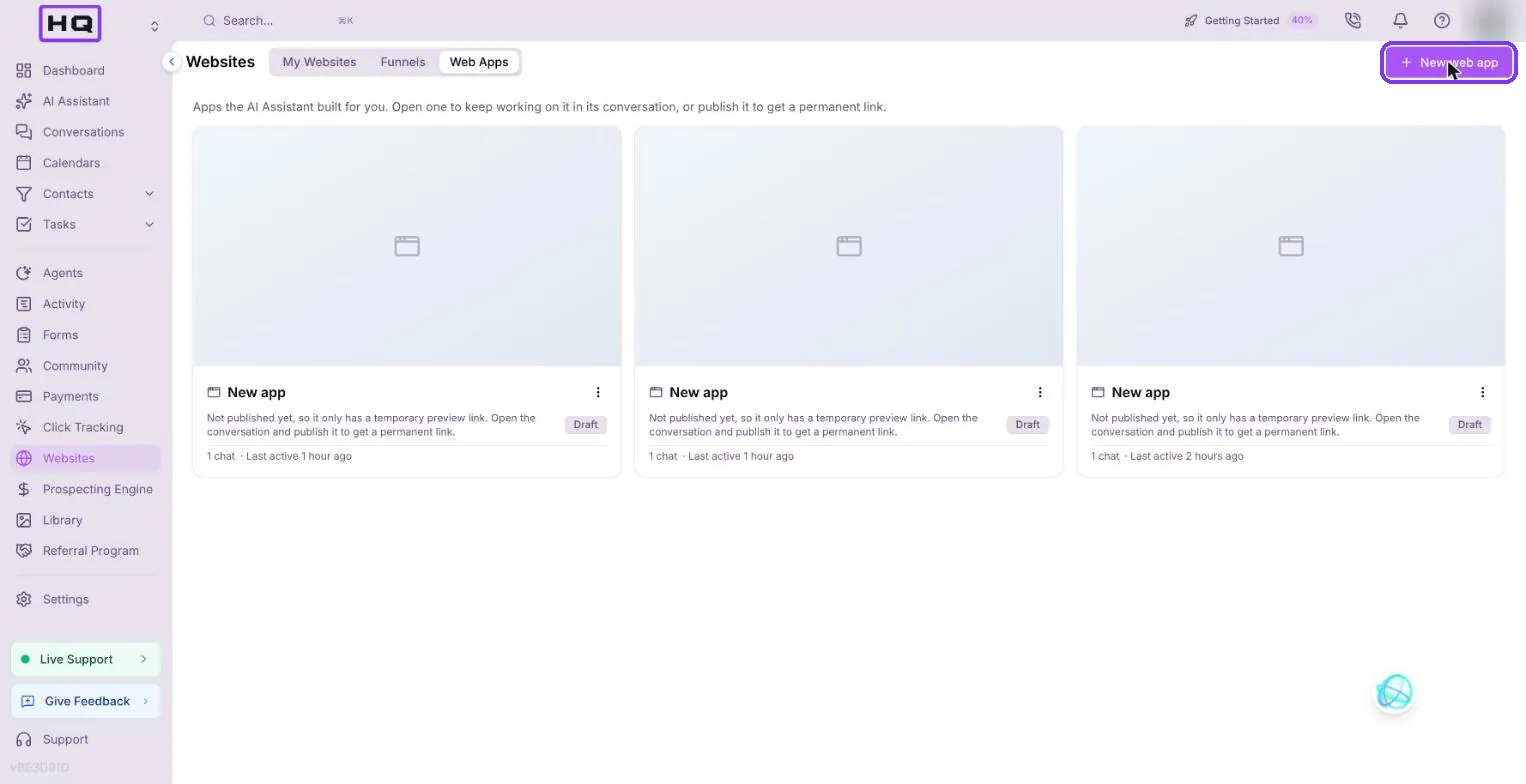
Paste the prompt
Copy the prompt, paste it in and press Enter. It asks for the plan and the costs up front, and it sets strict test-data rules.
Build me a web app that connects to this account's CRM. Two parts. 1) Public page: a 'Which AI employee does your business need?' quiz with 4 multiple-choice questions, then a lead form (first name, email, phone). On submit, create or update a contact in this account's CRM, add the tag 'ai-quiz' plus a tag for the recommended result (e.g. 'ai-quiz-receptionist'), and save the quiz answers to the contact as a note. Also save a copy of each submission in the app's own table. 2) Private admin page at /admin protected by a simple password: lists the 20 most recent quiz submissions from the app's own table, with name, email, result, and date, plus a count by result shown as a bar chart. Tell me plainly how the app talks to the CRM (API, keys, where secrets live), whether it needs a backend or database and what that costs, and anything you cannot do. For testing, create at most ONE contact named 'Test VotelApp' with email test-votelapp@example.com and tag 'votel-app-test'. Do not insert any other test rows.
Read the plan and approve the cards you meant
This app needs a backend, so you'll see approval cards. Read each one before you approve it.
| Card | What it does | Approve? |
|---|---|---|
| Backend | Sets up the app's database, storage and server functions. Shows the monthly fee | Yes, this app needs it |
| Each table | Creates a table, such as the submissions table | Yes, if it matches the plan |
| Deleting test rows | Removes test data it added | Yes |
| Activating the workflow | Turns on the Votel workflow that writes the contact | Yes |
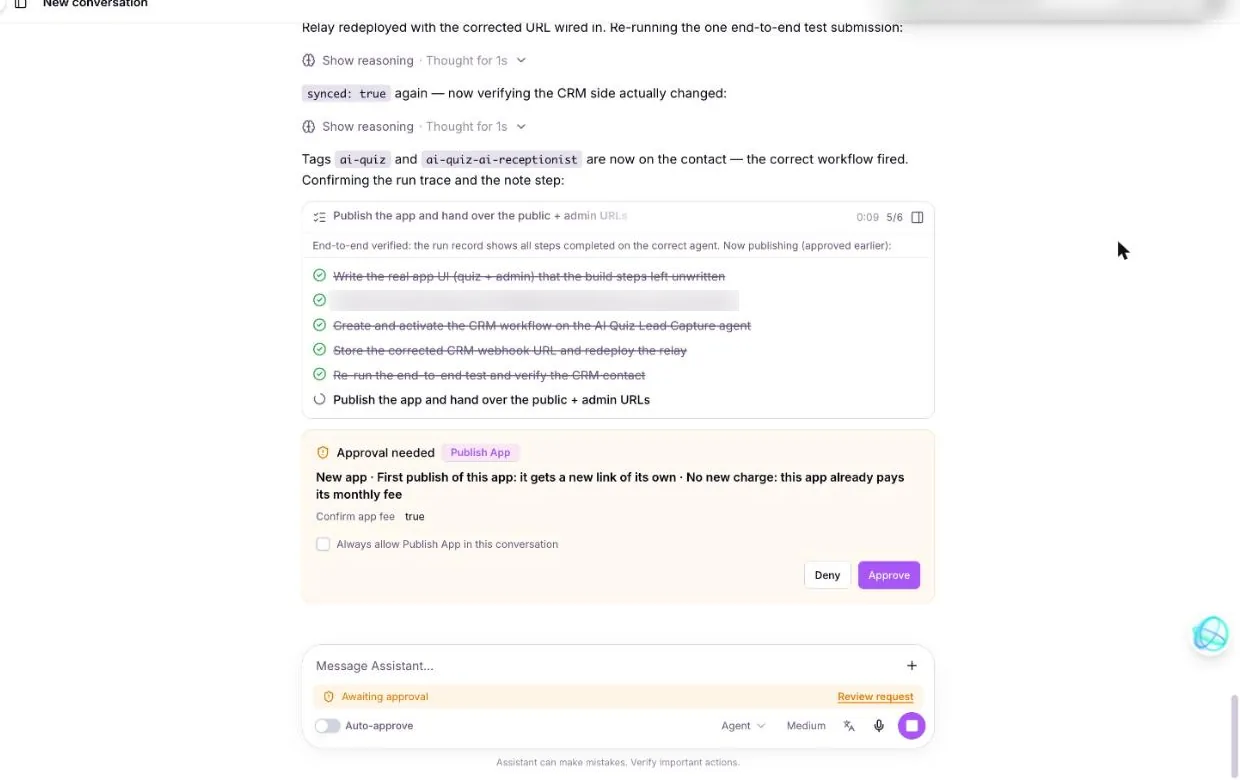
| Publishing | Gives the app a permanent link | Only after you've tested it |
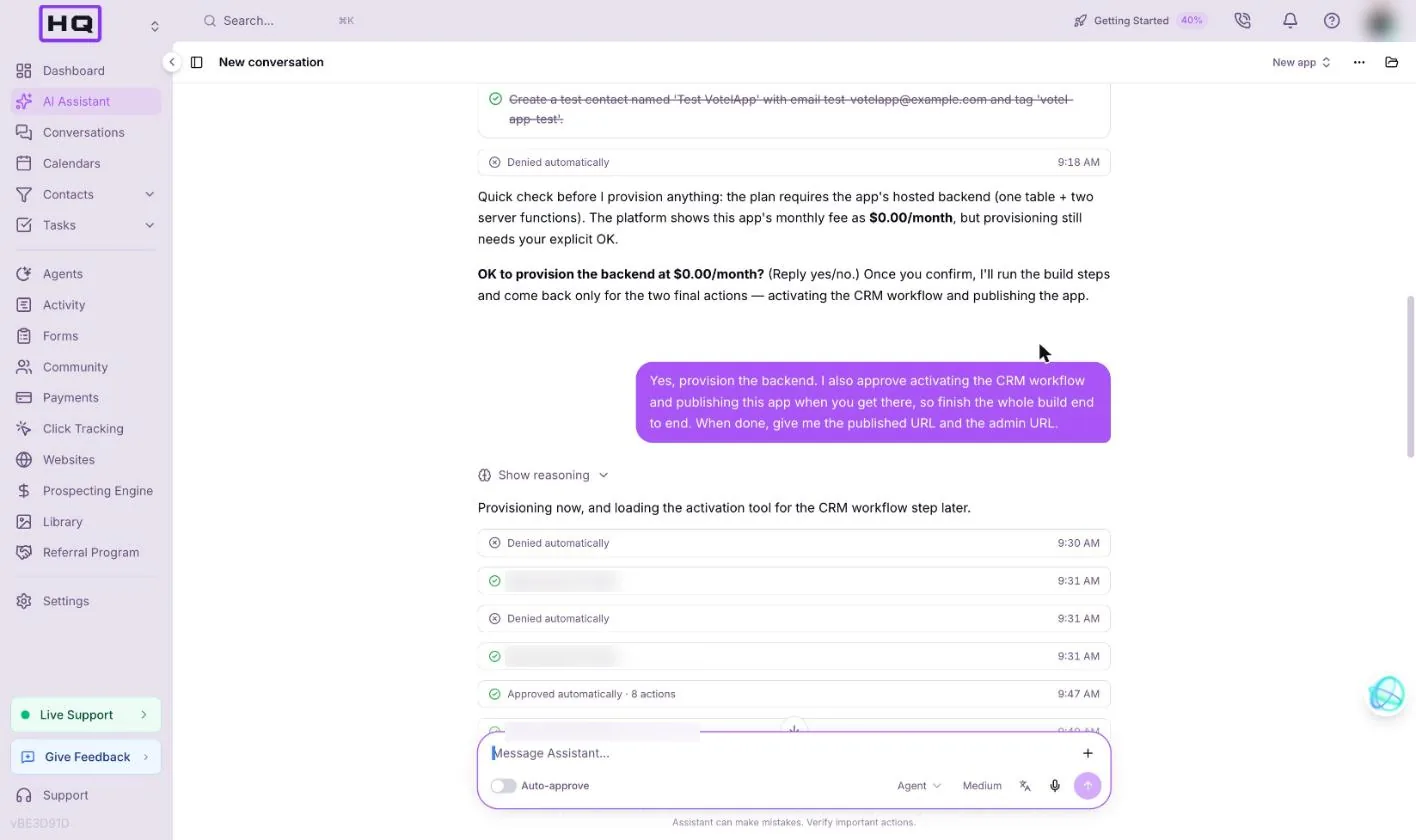
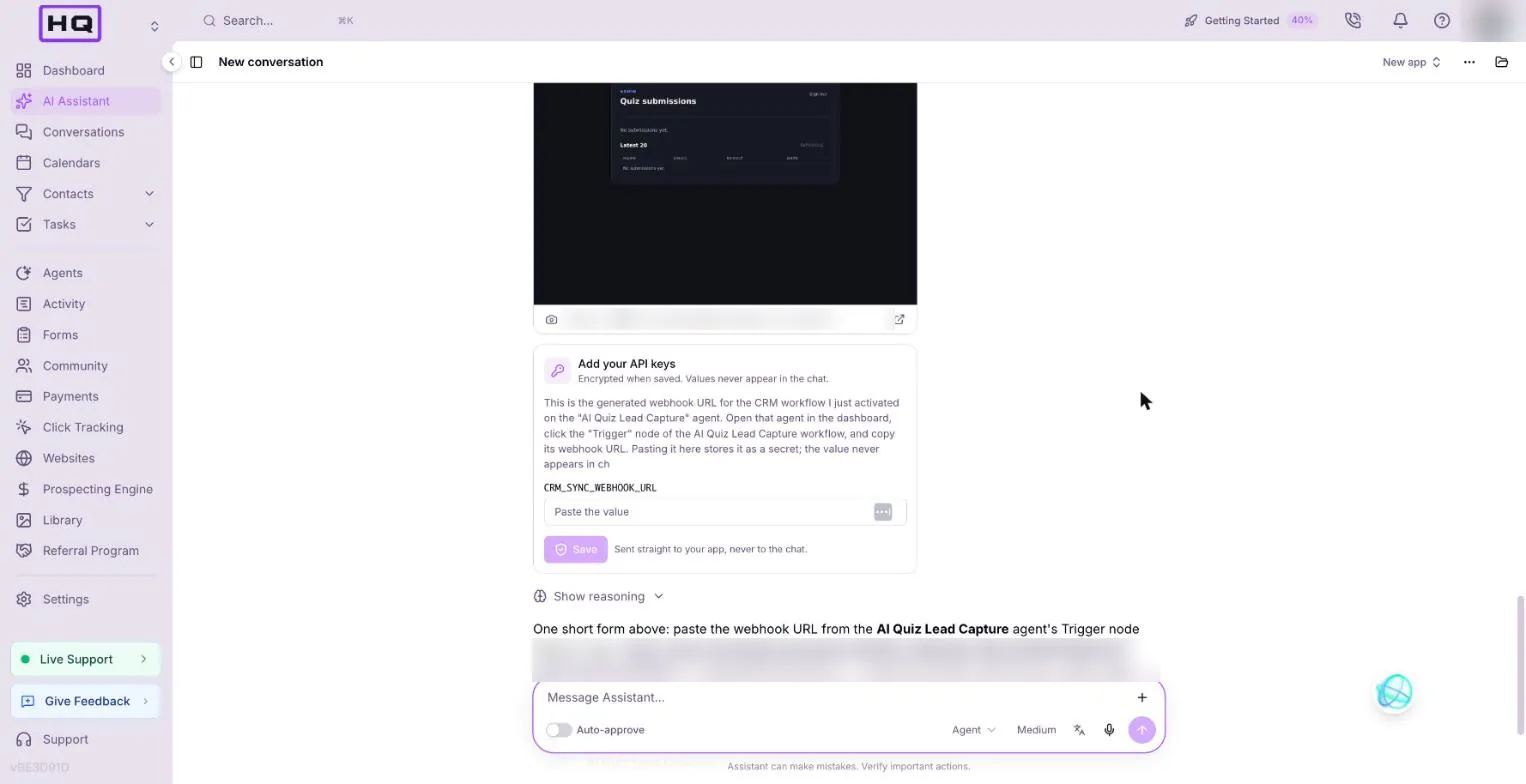
Paste the webhook URL into the secure form
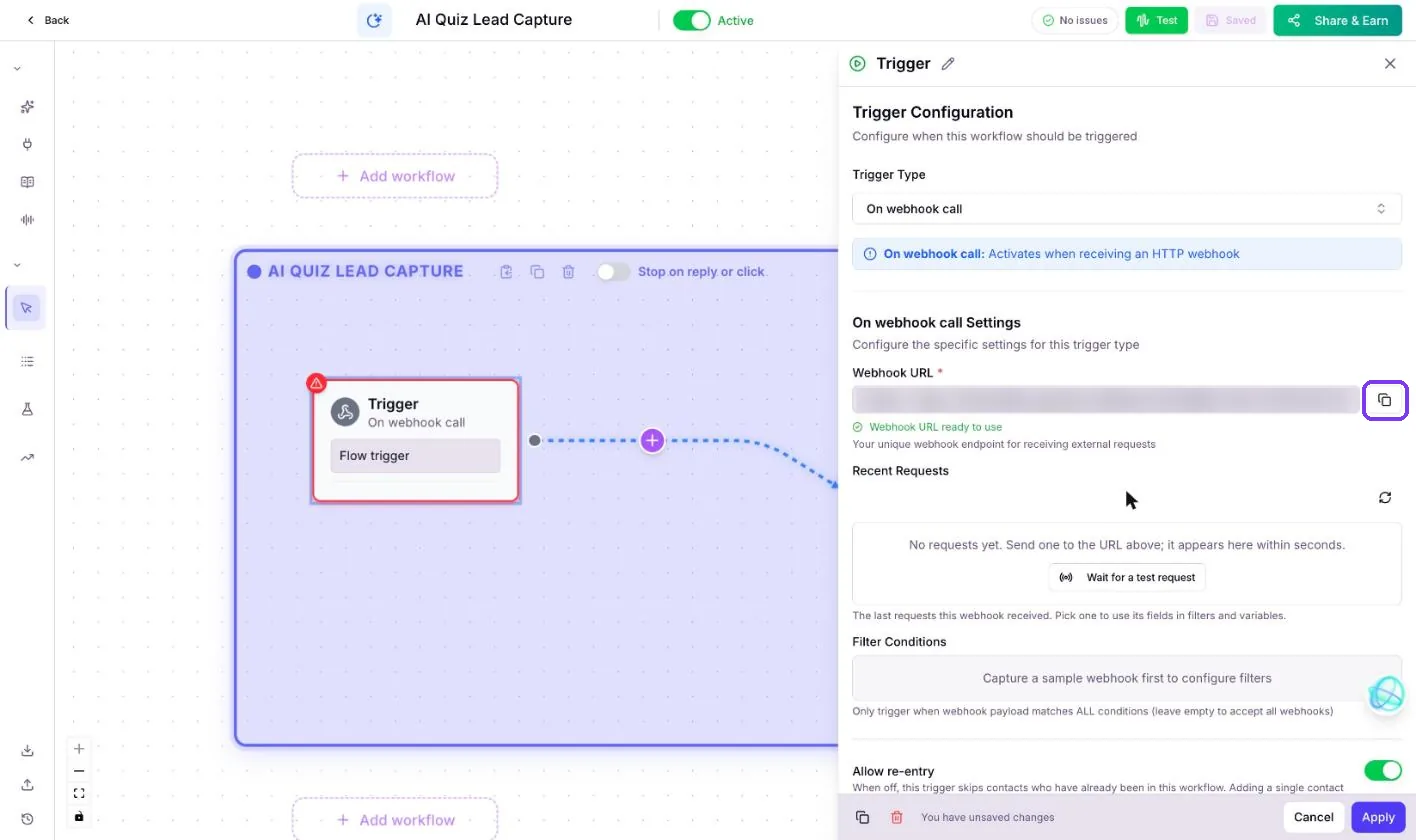
This is the one manual step. The assistant creates and activates a Votel workflow on a new agent, but it can't read that workflow's webhook URL, so you copy it across. In our run the URL hadn't even been generated yet.
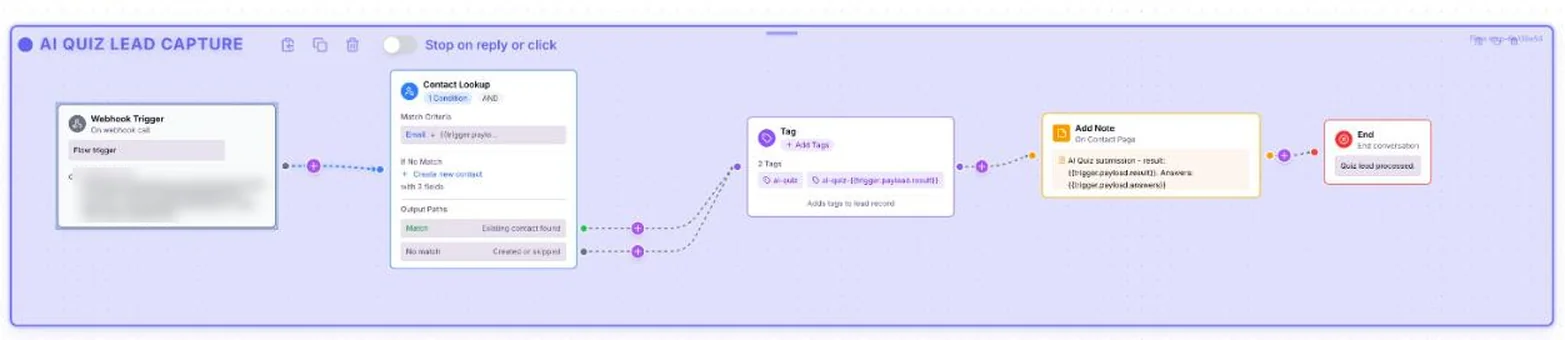
- Open the right agentGo to Agents and open the agent the assistant names. Ours was called AI Quiz Lead Capture.
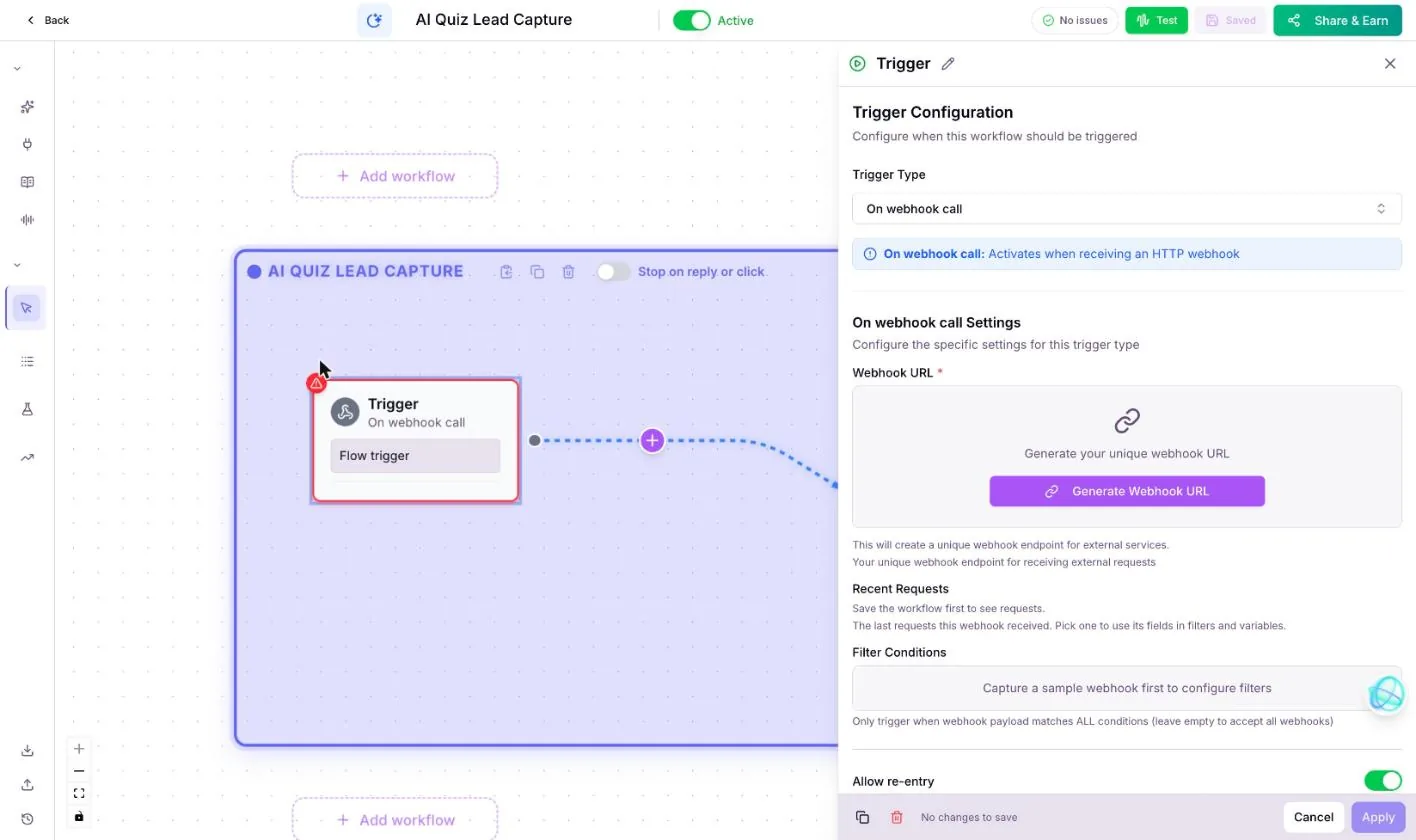
- Click the Trigger stepIt's the first box on the canvas, set to On webhook call.
- Generate the URL if you need toIf you see Generate Webhook URL, click it, then Apply, then Save at the top.
- Copy itUse the copy button next to the Webhook URL field.
- Paste it into the secure formBack in the chat, paste it into the Add your API keys form and click Save. Never paste it into the chat itself.
Test it yourself
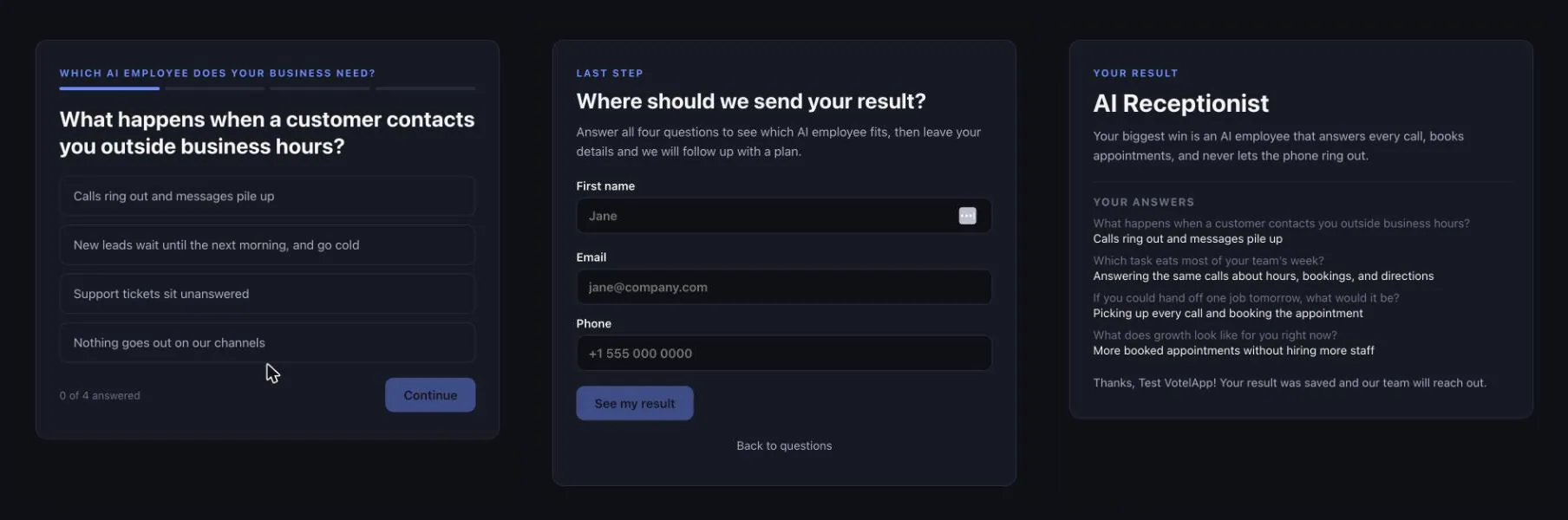
Take the quiz once, as the test contact, then check the CRM. In our run the assistant ran the test submission itself once the URL was in, then we took the live quiz too.
| Check | Do this | You should see |
|---|---|---|
| Quiz flow | Answer the 4 questions | The lead form, then a recommended AI employee with your answers |
| Contact created | Submit as Test VotelApp, test-votelapp@example.com | One contact in the CRM with that email. Submitting again updates the same contact |
| Tags | Open the contact | ai-quiz plus a result tag, such as ai-quiz-ai-receptionist |
| Note | Look at the contact's timeline | "AI Quiz submission" with the result and the answers, written by the workflow |
| Admin page | Open /admin | An email and password sign-in. Use Forgot password the first time to set yours |
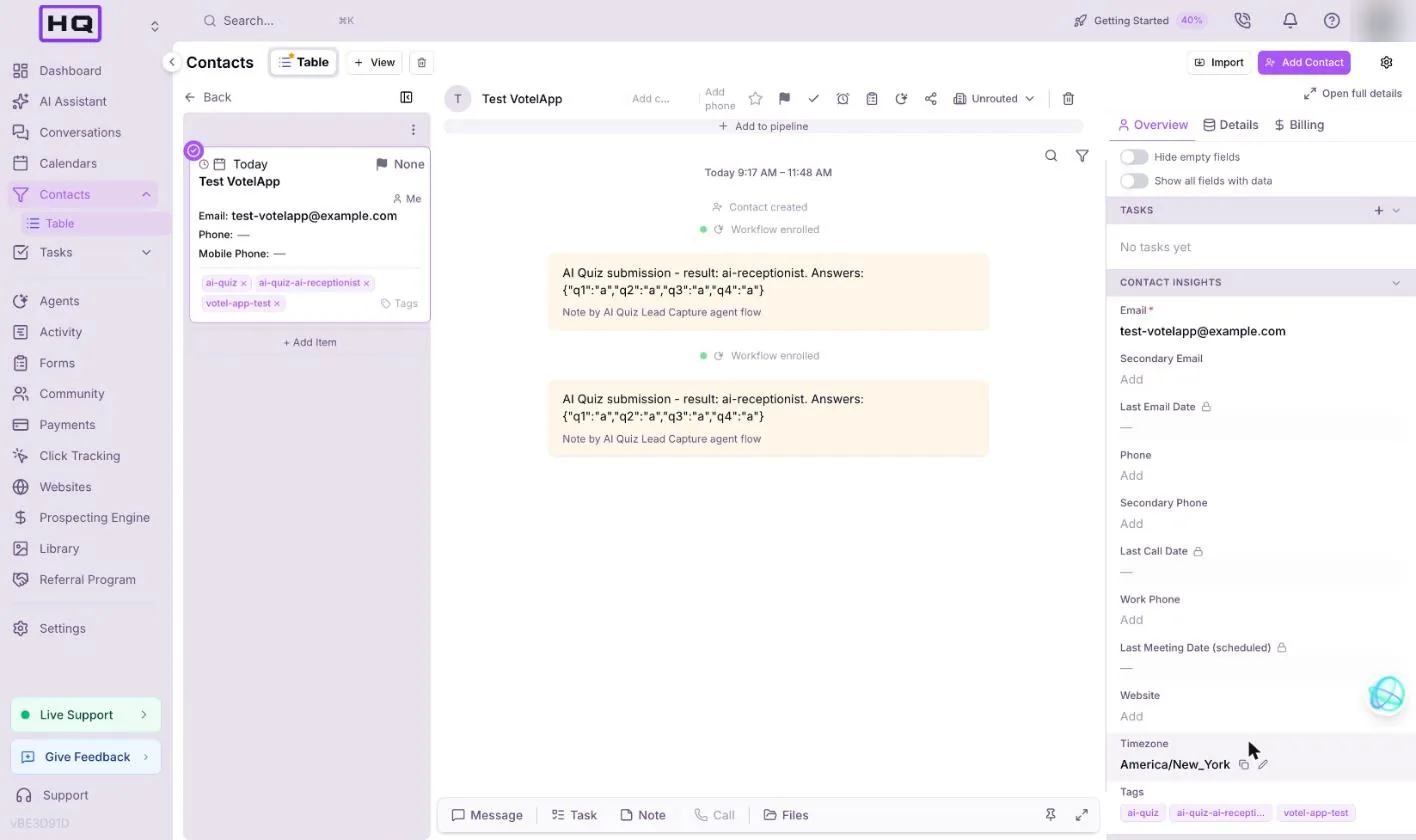
"q1":"a") instead of the answer text, and the phone number didn't reach the contact. Ask for both up front, or paste the follow-up below.In the CRM note, write each question and the answer text the visitor picked, not answer codes. Also save the phone number from the lead form on the contact.
Publish, share and tweak
Publish once the test contact looks right. Type "Publish this app." and read the card before you approve it. It tells you if this is the first publish and if a new charge applies. Then put the quiz link in your bio, emails or ads.
Follow-up prompts to try:
- Add a fifth question about how many calls the business misses each week.
- Show a Book a call button on the result screen that links to my calendar.
- Change the accent color to teal and add my logo at the top.
Troubleshooting
Most issues here come from the webhook step or from test data. Here's what to do.
| You see | Why | Fix |
|---|---|---|
| Submissions save, but no contact appears | The webhook URL isn't saved, or it came from a different agent | Copy it from the Trigger step of the agent the assistant named, and paste it into the secure form |
| The Trigger step has no URL | It hasn't been generated yet | Click Generate Webhook URL, then Apply, then Save |
| Extra fake rows in the admin page | The assistant added test data | Approve its delete card, and keep the test-data rule in your prompt |
| A step says passed but the preview shows the Vite starter page | The build step didn't write the UI | Ask: "The preview still shows the Vite starter page. Build the quiz screens." |
| The admin page should show other tagged contacts | Apps can't read the CRM | That's a platform limit. It shows quiz submissions only |
FAQ
Can a Votel web app write contacts to the CRM?
Yes, but only through a Votel workflow. The app's server function sends the quiz answers to a workflow with a webhook trigger, and the workflow looks up or creates the contact, adds the tags and saves the note.
Why can't the admin page list my CRM contacts?
Apps are walled off from the CRM and can't read contacts. The server function also saves a copy of each submission to the app's own table, and the admin page reads that table, so it shows quiz submissions only.
Where does the webhook URL go?
Into the Add your API keys form the assistant shows in the chat. It's encrypted when saved and goes straight to the app. Never paste it into the chat itself.
How long does the quiz app take to build?
About 40 minutes in our test, with approval cards for the backend, each table, deleting test rows, activating the workflow and publishing.
Try it in Votel
Haven't built an app yet? Start with the ROI calculator, then come back for the quiz. Votel has a 14-day trial, then plans are $97 or $297 a month.
All Things Votel is an independent site, not operated by or affiliated with Votel.ai. Links to Votel are affiliate links. Built in a live account on November 21, 2026. Labels may change.