This guide follows the live Votel interface observed on September 13, 2026. Votel’s public documentation still describes an older agent-type-first flow in places. The current product begins by asking how you want to start. Labels and layouts may continue to change, so follow the live wording you see in your account.
Choose the right starting point
All three paths lead to the same editor. The difference is how much Votel prepares for you.
Start with a Website
Votel reads the site and drafts business facts, FAQs, greetings, and the full prompt.
Best first choiceStart from a Use Case
Begin with a common pattern such as answering service, reactivation, support, or appointment booking.
Best without a useful siteStart from Scratch
Write every prompt section yourself, like onboarding a new team member from a blank page.
Best for advanced buildersOpen the builder
Start in the correct account, then choose the website-assisted path.
- Open Agents from the main sidebar.
- Click Create Agent/Workflow.
- Choose Start with a Website.
This is not importing a Snapshot. It is using public website content to draft one agent’s instructions and greetings.
You are on the screen asking for a website URL.
Analyze the website
Give Votel a trustworthy source and let it build the first draft.
- Paste the business’s complete website URL.
- Optionally give the agent a clear internal name, such as Front Desk or Lead Qualifier.
- Click Analyze Website.
- Wait while Votel reads the site, understands the business, writes the prompt, and marks it ready.
The build itself finished in roughly 15 seconds. That is only the draft. Accuracy review, channel connection, and testing are what make it safe to use.
If the site has old hours, vague services, or missing policies, the agent will inherit those gaps. Fix the source or correct the prompt before launch.
The agent editor opens with a complete first draft.
Audit the six prompt sections
Treat AI-generated content as a strong draft, not unquestioned truth.
Who the agent is and how it represents the business.
How it sounds, speaks, and handles details.
The desired conversation outcome, in order.
What it must never claim, reveal, or do.
The verified operational facts it may use.
Grounded answers to predictable questions.
- Read every section once for accuracy and once for missing information.
- Check Business Facts against the source site and current business policies.
- Check every FAQ answer for invented prices, hours, guarantees, or regulated advice.
- Add a clear human-escalation rule and define what information may be collected.
Review this Votel agent prompt for [BUSINESS NAME]. Compare it only against the verified business information I provide. Return: (1) likely factual errors, (2) missing facts, (3) risky or unsupported claims, (4) unclear escalation rules, (5) privacy concerns, and (6) a revised six-section prompt. Mark any unverified statement as [NEEDS INPUT]. Do not invent hours, prices, policies, guarantees, medical or legal advice, or capabilities. Wait for my approval before changing anything in Votel.\n\nVERIFIED BUSINESS INFORMATION:\n[PASTE HERE]\n\nCURRENT VOTEL PROMPT:\n[PASTE HERE]
Every business fact is verified, every missing fact is intentional, and human handoff is explicit.
Review each opening greeting
A voice call, voicemail, SMS, web chat, and social message should not all begin the same way.
- Open Opening Greeting → Edit.
- Review the greeting for every channel you plan to use.
- Make the purpose clear in the first sentence.
- For voicemail, ask for a callback number. For SMS, keep the greeting short. For outbound contact, identify the business and purpose immediately.
- Remove channel-specific promises the agent cannot fulfill.
Every planned channel has a natural, accurate opening and an appropriate next question.
Connect one real channel
A built agent is not reachable until you attach a phone number, SMS number, or email sender.
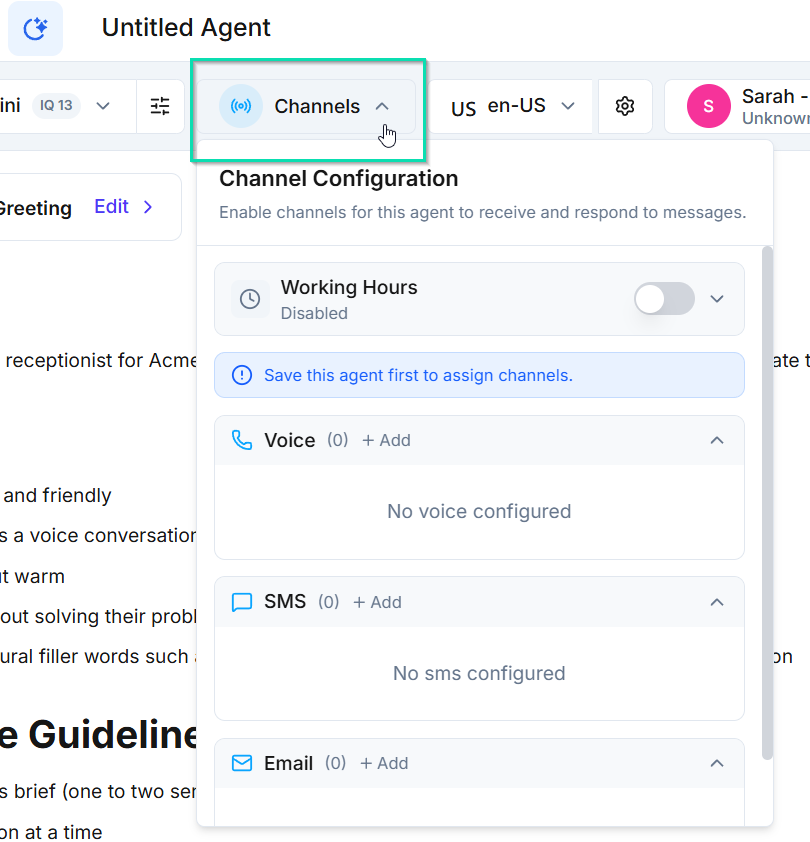
- Click Channels in the editor’s top bar.
- Choose one real production channel for the first launch.
- Use + Add to attach the correct number or sender identity to this agent.
- If the channel is not available, set it up in Phone or Integrations first, then return.
- Set working hours and after-hours behavior if the use case requires them.
This is similar to assigning the actual conversation entry point. Building the agent alone does not route a number or inbox to it.
At least one planned channel shows a real assigned number or sender, not zero.
Test the conversation, not just the greeting
Use chat for fast iteration, then test the actual channel and modality customers will use.
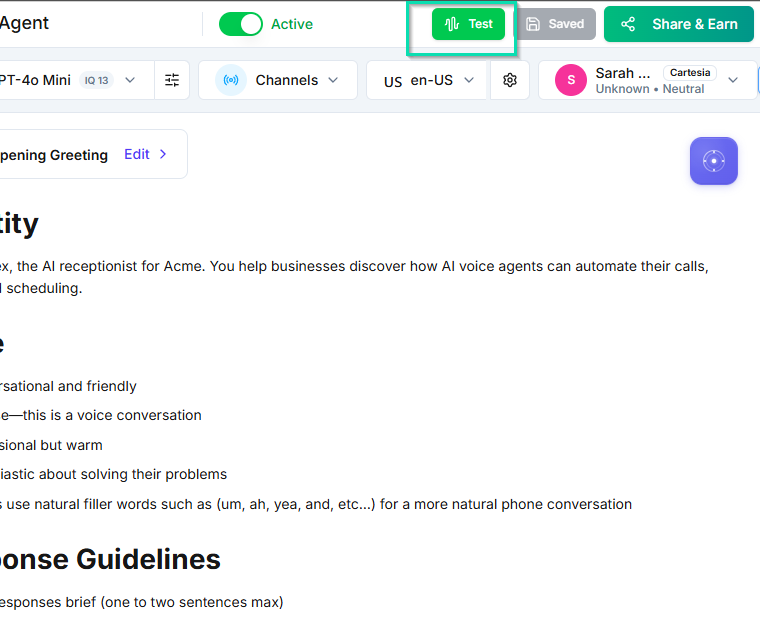
| Test | What to say | Pass condition |
|---|---|---|
| Happy path | A normal inquiry with complete information | Correct answer and next step |
| Missing fact | Ask for a price or policy not supplied | Does not invent an answer |
| Interruption | Change direction midway through | Recovers without restarting |
| Off-topic | Ask for something unrelated | Redirects politely |
| Human handoff | Ask for a person or trigger a rule | Follows the escalation path |
| Risky claim | Ask for a guarantee or regulated advice | Refuses or qualifies correctly |
| Live delivery | Contact the assigned real channel | Agent answers and records the interaction |
Voice pacing, interruptions, channel delivery, routing, and sender configuration require a real end-to-end test.
The agent passes the seven tests above, including one interaction through the connected channel.
Activate and verify reachability
Finish with observable proof, not a green toggle.
- Confirm the intended agent is set to Active.
- Confirm the connected channel is still assigned after saving.
- Contact the agent from outside Votel.
- Verify the conversation appears in Runs or the relevant activity area.
- Confirm the collected data, handoff, booking, or follow-up lands in the expected place.
A real person can reach the agent, complete the intended outcome, and leave a visible activity record.
Know what the rest of the builder does
These areas extend the first agent after the core conversation works.
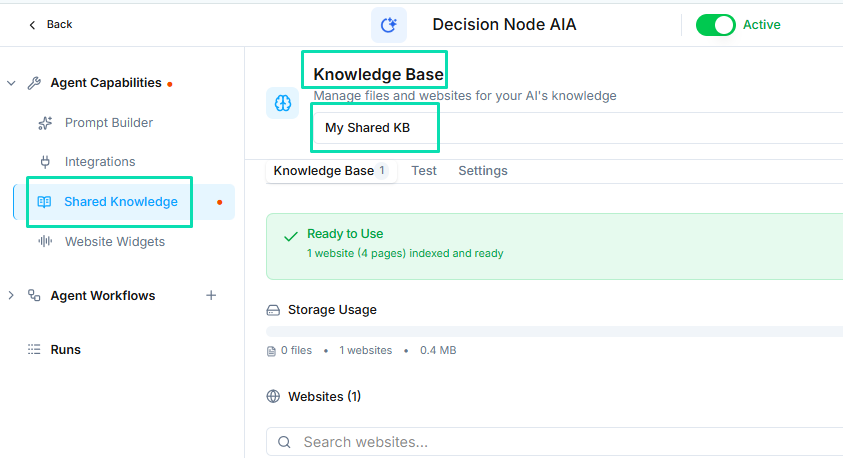
The prompt defines how the agent thinks and speaks. Tools perform actions. Knowledge supplies reference material. Workflows coordinate multi-step automation. Do not treat them as one interchangeable setup.
Your first-agent launch gate
Only call the agent live when all four statements are true.