Find the tool
In Votel, open Library and click the AI Image Gen tab. The Library also has tabs for Files, Snapshots, Websites, Emails, AI Brand Kit, AI Video and AI Audio. Inside AI Image Gen there are two switches at the top left: Image and GIF. This guide uses Image.
Everything you make lands in one grid, newest first. Your balance sits at the top right, and the prompt box is pinned to the bottom of the screen.

Pick model, shape and brand kit
Three dropdowns sit under the prompt box. Set them before you write, because the shape changes how you describe the picture.
| Control | What you get |
|---|---|
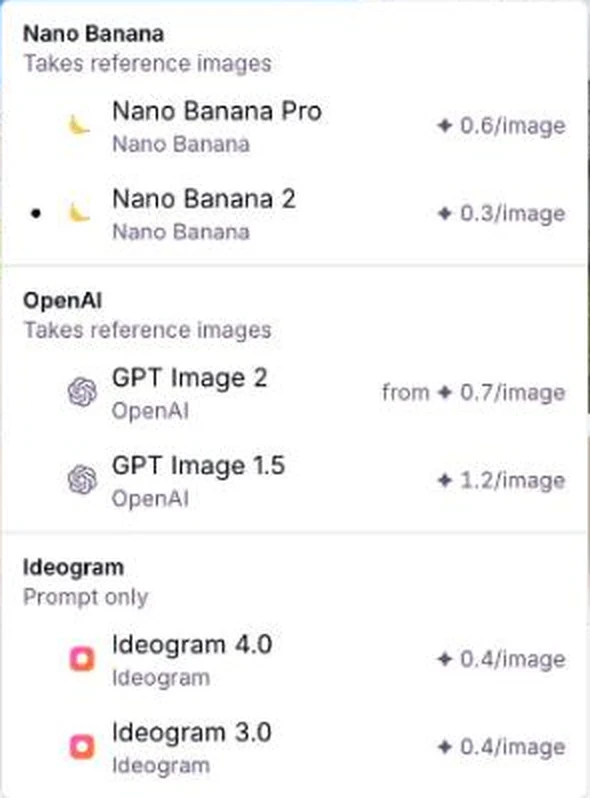
| Model | Nano Banana Pro, Nano Banana 2, GPT Image 2, GPT Image 1.5, Ideogram 4.0, Ideogram 3.0. Price per image shows next to each. |
| Aspect ratio | 1:1 Square, 16:9 Wide, 9:16 Tall, 4:5 Social, 3:2 Photo, 3:4 Portrait, 4:3 Landscape. |
| Brand kit | None, or your brand kit. It adds your logo as a reference image. |
| Add image | Reference images, on the Nano Banana and OpenAI models. Ideogram is prompt only. |
What goes in a prompt
An AI image model does not read your mind. It fills every blank with its own guess. A good prompt closes the blanks you care about. I use the same seven parts every time.
| Part | What it answers | Example |
|---|---|---|
| Subject | What is the one main thing? | "a single oat milk latte with heart latte art" |
| Setting | Where is it? | "a small independent coffee shop, exposed brick" |
| Light | When is it and where does light come from? | "warm golden morning light from a large window on the left" |
| Camera | How close, what angle, how blurry is the background? | "low three-quarter angle, shallow depth of field" |
| Style | Photo, illustration, 3D? What feel? | "photorealistic editorial photo, subtle film grain" |
| Composition | Where does the subject sit? Where is the empty space? | "empty space in the upper right" |
| Avoid list | What must not appear? | "No text, no logos, no watermark" |
Weak, better and best, side by side
I wanted a picture for a local coffee shop. Same model (Nano Banana 2), same square shape, three levels of effort. Nothing here was cherry picked. This is the first image each prompt gave me.
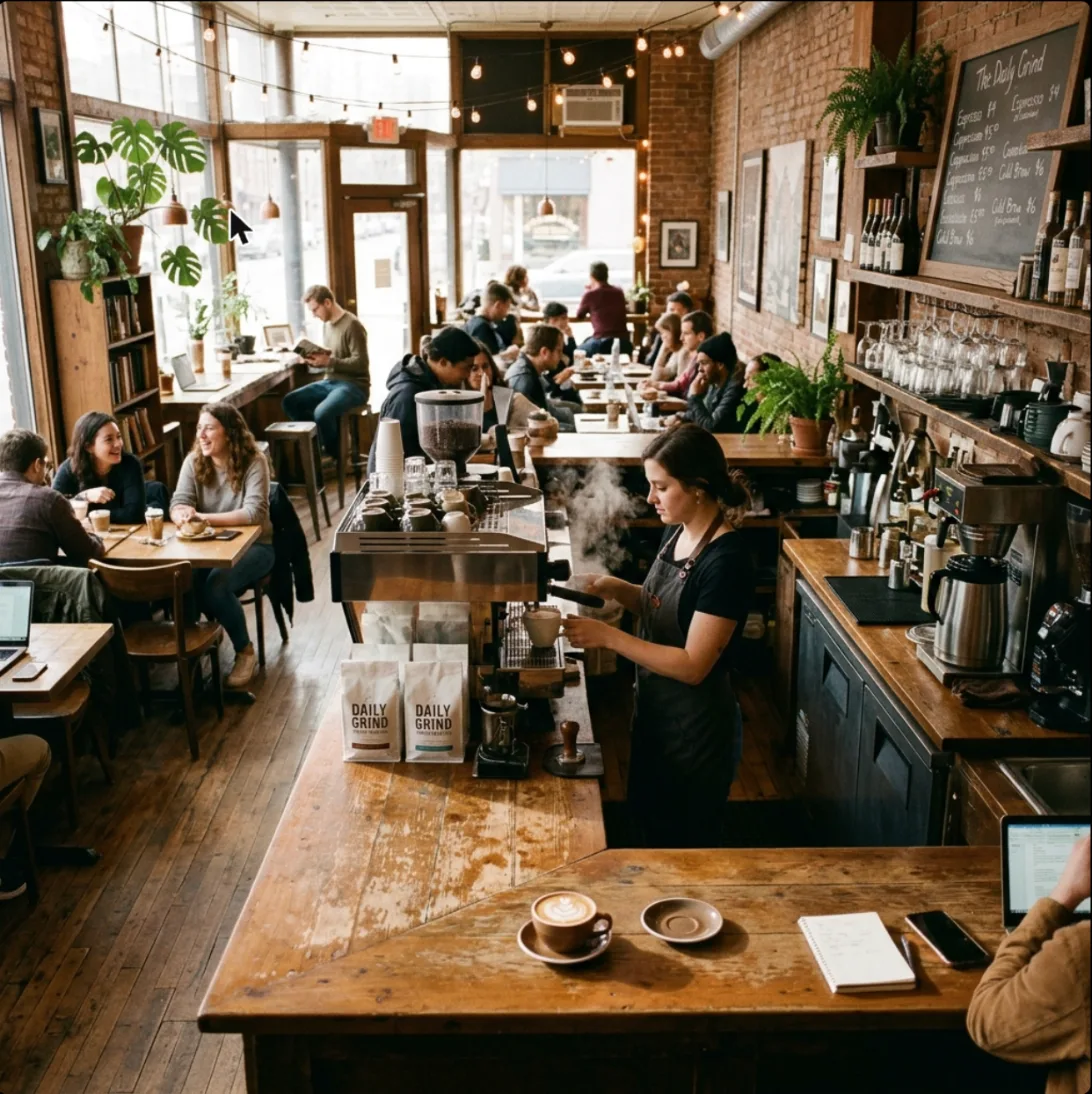
coffee shop
A full room: barista, a dozen customers, chalkboard, laptops. Nothing wrong, but nothing chosen on purpose. coffee shop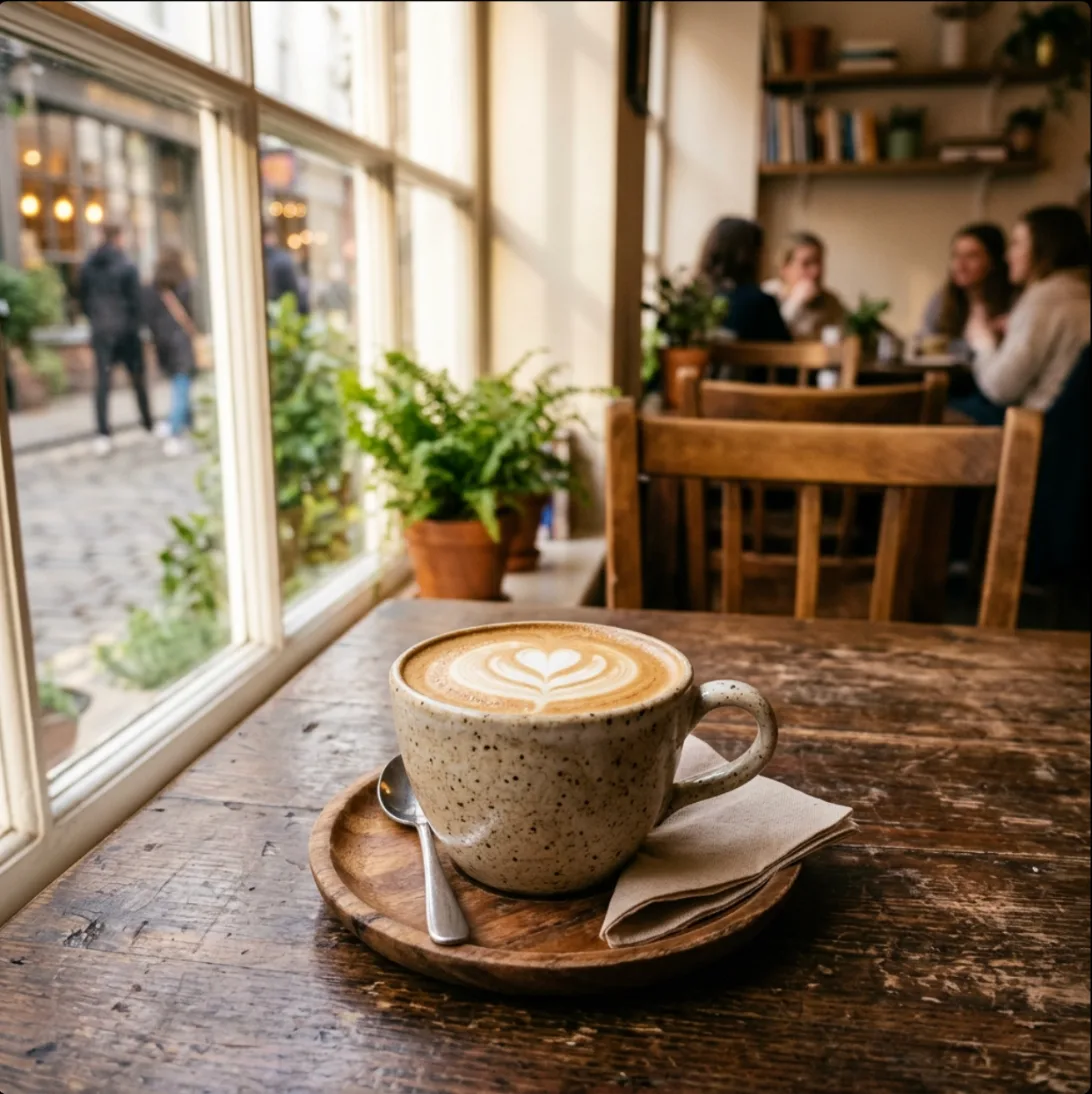
A latte in a ceramic cup on a wooden table inside a cozy coffee shop, soft morning light from a window.
Now there is a hero: the latte. The window light is right. The camera and background were still the AI's call. A latte in a ceramic cup on a wooden table inside a cozy coffee shop, soft morning light from a window.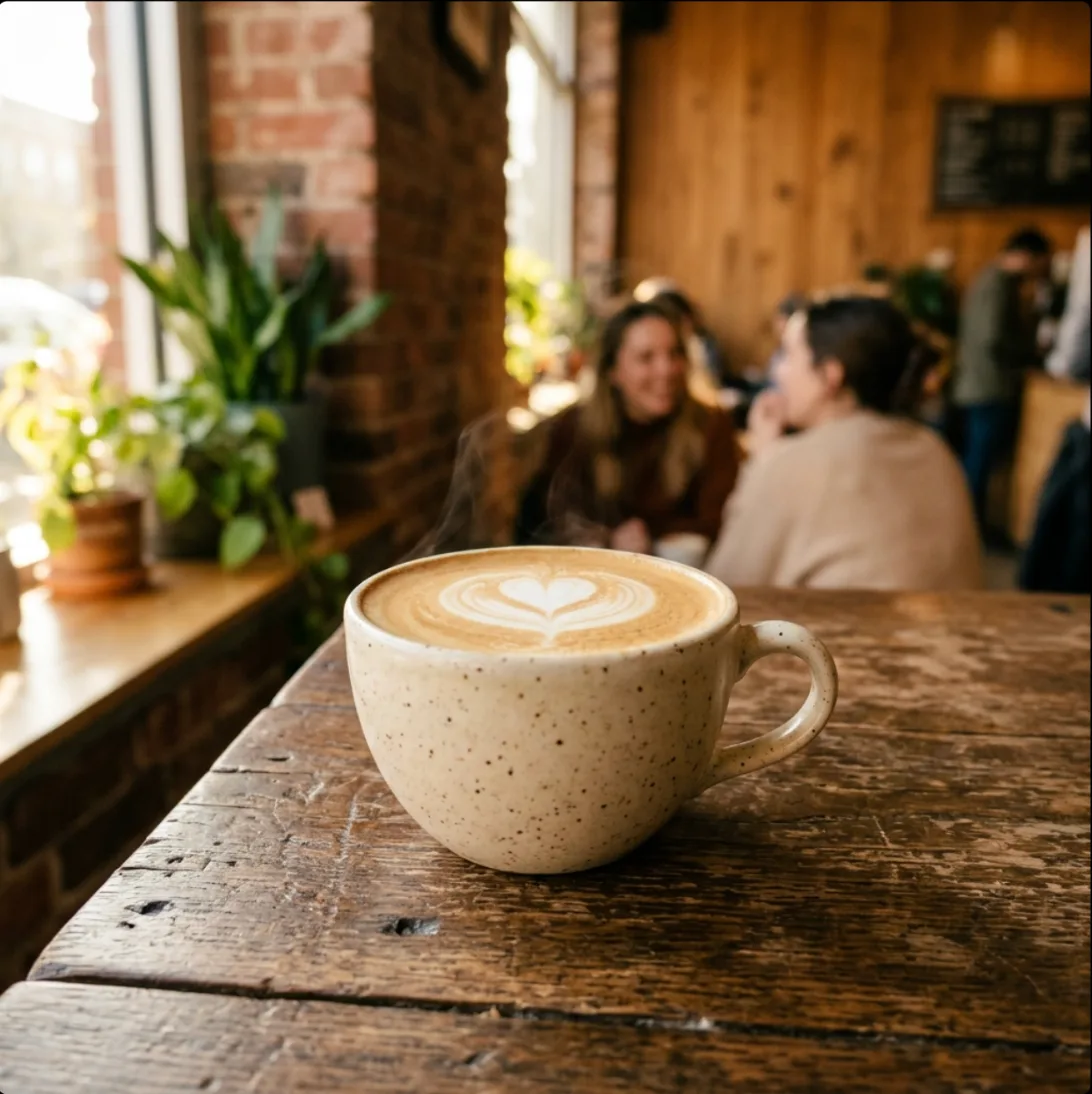
Photorealistic editorial photo of a single oat milk latte with heart latte art in a speckled cream ceramic cup on a worn wooden table, shot from a low three-quarter angle with shallow depth of field. A small independent coffee shop softly blurred in the background: exposed brick, plants on a window sill, two customers chatting. Warm golden morning light from a large window on the left, gentle steam rising from the cup. Natural warm color, subtle film grain. Clean composition with empty space in the upper right. No text, no logos, no watermark.
Steam, heart art, blurred brick and customers, warm light from the left. Ready for an ad. Photorealistic editorial photo of a single oat milk latte with heart latte art in a speckled cream ceramic cup on a worn wooden table, shot from a low three-quarter angle with shallow depth of field. A small independent coffee shop softly blurred in the background: exposed brick, plants on a window sill, two customers chatting. Warm golden morning light from a large window on the left, gentle steam rising from the cup. Natural warm color, subtle film grain. Clean composition with empty space in the upper right. No text, no logos, no watermark.What each addition did
| What I added | What changed in the picture |
|---|---|
| "a latte in a ceramic cup" (subject) | The scene stopped being "a room" and became "a cup". The AI had one thing to focus on. |
| "soft morning light from a window" | Light became warm and directional instead of flat. |
| "single", "heart latte art", "speckled cream" | The cup is specific: one cup, art on top, a speckled glaze. |
| "low three-quarter angle, shallow depth of field" | The camera dropped to table level and the background went soft. |
| "exposed brick, plants, two customers chatting" | The blurred background has a story instead of random extras. |
| "gentle steam rising" | Steam appears. Small details only show up if you ask for them. |
| "empty space in the upper right" | Partly followed. Treat composition requests as a strong hint, not a guarantee. |
| "No text, no logos, no watermark" | No fake signage or garbled words in the frame. |
Three real jobs, with the shape that fits
Pick the aspect ratio for where the image will live, then describe where the empty space goes so you can add a headline or caption later.
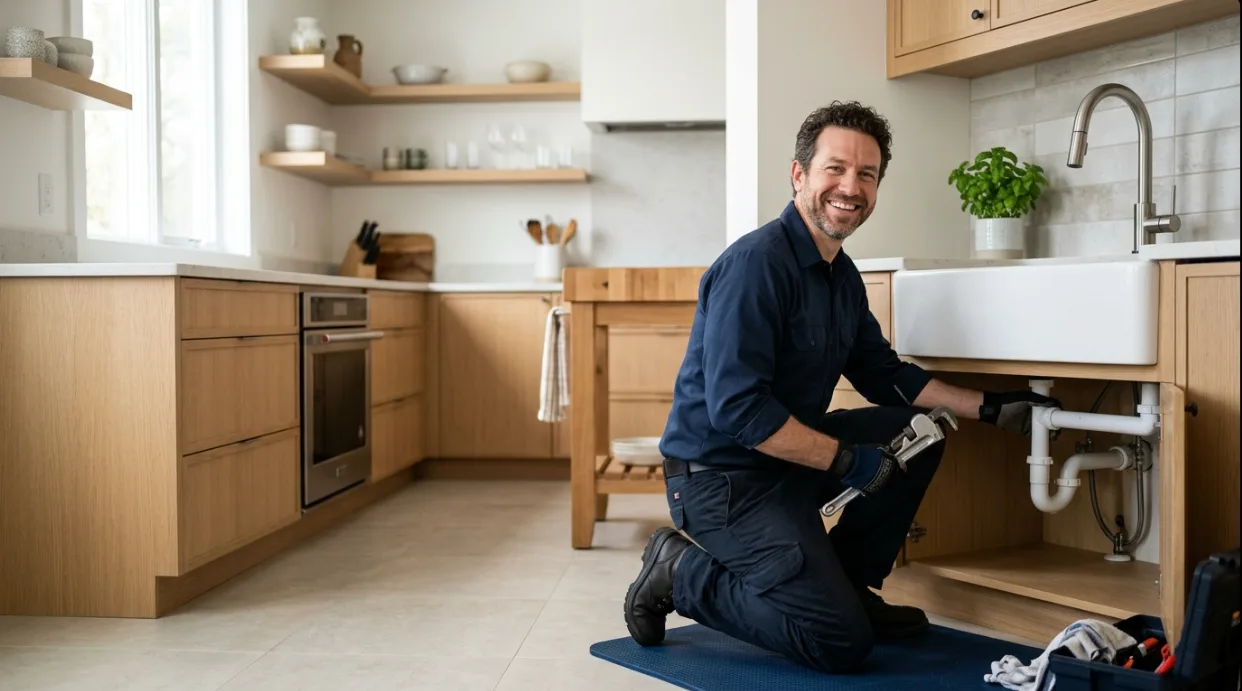
Website hero (16:9 Wide)
A local service business needs a hero that shows the work, with room on the left for a headline. The trick is telling the AI which third of the frame the person gets.
Photorealistic wide website hero photo of a friendly plumber in a navy work shirt kneeling beside a kitchen sink and smiling, holding a wrench, bright modern home kitchen, soft natural window light, camera at eye level. The plumber sits on the right third of the frame and the left side is clean, calm kitchen space where a headline could go. Candid, natural color. No text, no logos, no watermark.
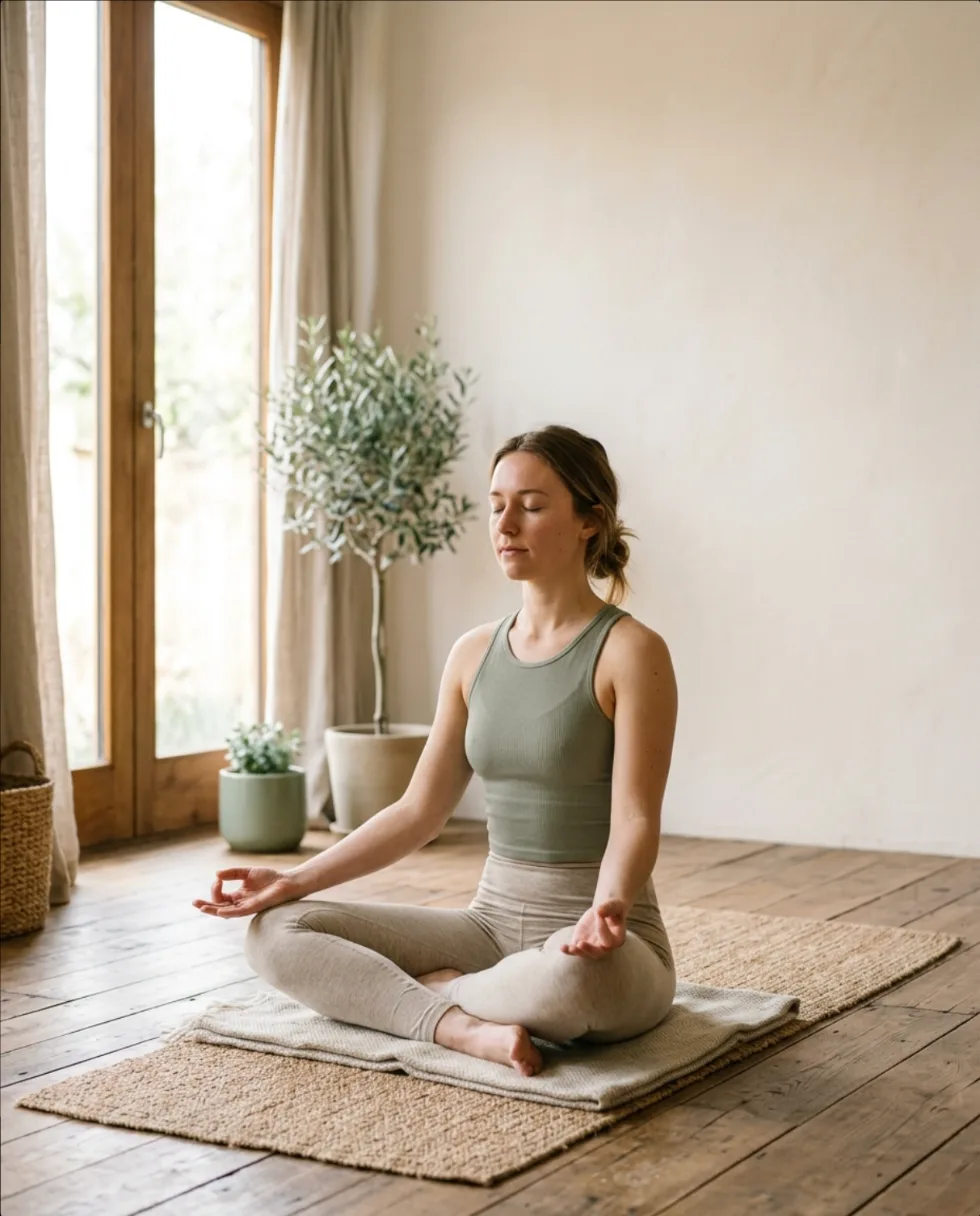
Social post (4:5 Social)
For Instagram and Facebook feeds, 4:5 takes up more screen than a square. Ask for a plain top third and your caption has somewhere to go. Color words like "sage green accents" keep a whole month of posts looking like one brand.
Photorealistic vertical social media photo for a local yoga studio: a woman in a calm seated pose on a mat in a bright, minimal studio, soft morning light through tall windows, warm neutral tones with sage green accents, shallow depth of field. She fills the lower two thirds of the frame and the top third is plain light wall, leaving room for a caption. Peaceful, authentic, not staged. No text, no logos, no watermark.
Product or menu shot (1:1 Square)
One hero object, one lighting direction, one blurred story behind it. This is the best prompt from the comparison above, and it is ready for an ad, a menu board or a "now open" post.
Photorealistic editorial photo of a single oat milk latte with heart latte art in a speckled cream ceramic cup on a worn wooden table, shot from a low three-quarter angle with shallow depth of field. A small independent coffee shop softly blurred in the background: exposed brick, plants on a window sill, two customers chatting. Warm golden morning light from a large window on the left, gentle steam rising from the cup. Natural warm color, subtle film grain. Clean composition with empty space in the upper right. No text, no logos, no watermark.
Copy-paste templates
These are the recipes behind the examples. Swap each bracket for your client's real details and run it on the cheapest model first.
Photorealistic wide website hero photo of [subject doing something] in [setting], [light], camera at [angle]. [Subject] sits on the [right/left] third of the frame and the other side is clean [background] where a headline could go. Candid, natural color. No text, no logos, no watermark.
Photorealistic vertical social media photo for a [type of business]: [subject and pose] in [setting], [light], [color palette], shallow depth of field. The subject fills the lower two thirds of the frame and the top third is plain [wall/sky/background], leaving room for a caption. [Mood]. No text, no logos, no watermark.
Clean product photo of [product] on [surface], [light direction] studio light, soft shadow, [background color] background, shot straight on with the product centered and lots of empty space around it. Sharp focus, true-to-life color. No text, no logos, no watermark.
Flat editorial illustration of [idea or scene] in [2 to 3 named colors], simple shapes, clean lines, generous whitespace, [composition: centered / left-aligned]. No people, no text, no watermark.
Habits that save credits
- Change one thing per run. If you change the light and the subject together, you will not know which one helped.
- Use Reuse prompt and settings. Click any image, then that button, and your last recipe is back in the box.
- Always end with an avoid list. No text, no logos, no watermark. Add "no people" when you want an empty scene.
- Look at hands, faces and signs. Zoom in before you post. Fix the prompt or run it again rather than editing around an error.
- Name the shape before the words. A 16:9 hero and a 9:16 story need different compositions. Pick the ratio first.
- Save winners as templates. The best prompt for a client becomes their reusable brand recipe.
FAQ
Which AI image model should I start with in Votel?
On November 21, 2026 the model picker listed Nano Banana Pro (0.6 credits per image), Nano Banana 2 (0.3), GPT Image 2 (from 0.7), GPT Image 1.5 (1.2), Ideogram 4.0 (0.4) and Ideogram 3.0 (0.4). Every image in this guide came from Nano Banana 2, the cheapest one on the list, so you can test a prompt for pennies before you spend more on a bigger model.
How much does one AI image cost in Votel?
The Generate button shows the credit cost before you click. On Nano Banana 2 it showed 0.3 credits, about $0.075, for the square, wide and 4:5 images in this guide. Other models cost more, and the price can change, so read the button each time.
Can I edit or restyle a photo I already have?
The picker marks Nano Banana and OpenAI models as taking reference images, and the prompt box has an Add image button. Ideogram is prompt only. I did not test photo edits for this guide, so I only generated from text. Try it on a copy of a photo you can afford to lose.
Why did the AI add things I never asked for?
It fills every gap with a guess. My one-line prompt, coffee shop, came back as a busy room with a barista, a chalkboard menu and a dozen customers. Naming the subject, the setting and the light takes the guessing away.
How do I reuse a prompt I liked?
Click any image in the Library to open it. The panel shows the full prompt, the aspect ratio and the date, with a Reuse prompt and settings button that puts it back in the prompt box so you can change one thing and run it again.
Can I use generated people as customers or testimonials?
No. A generated person is not a real customer. Use them for mood, backgrounds and illustration, and keep reviews, case studies and before and after claims to real people and real results.
Make your first three images tonight.
Pick a client, copy one template, fill the brackets, and run it. Compare the first result to your prompt line by line. Votel has a 14-day trial, then plans are $97 or $297 a month.
All Things Votel is independent and not operated by or affiliated with Votel.ai. Links to Votel are affiliate links. Images in this guide were generated in a live Votel account on November 21, 2026 and may look different when you run the same prompts.